· 16 min read
Xoul AI Review: Features, Models, NSFW Access & Our Verdict
We spent hours testing Xoul AI’s extensive creation tools, models’ performance, and NSFW Access. Our in-depth review covers its complex roleplay and the areas where it falls short.
Is Xoul AI Worth It?
Xoul AI is considered a strong and “raw” alternative for users tired of stricter AI roleplay platforms.
From its extensive creation tools for fleshing out your creations to the AI’s near-realistic execution of characters’ perspectives, we found that the platform consistently delivers a stimulating experience.
However, recent user feedback has noted various technical issues and inconsistencies that appear over long-term interactions.
- Best for: Casual roleplayers who appreciate having world-building tools at their fingertips.
- Not ideal for: Seasoned roleplay enthusiasts seeking technical stability and consistency.
- Standout strength: Extensive creation tools. Xoul AI provides access to building through multiple features, including AI art and voice generation.
- Main tradeoff: The site has a recent history of instability, with users reporting several technical issues, including slow response times and recurring problems even after management changes.
At a Glance
Free tier | Yes — one-time credit reward of 50 Cells, and other free usage benefits. |
Starting price | $7/month |
Platforms | |
Official community | |
NSFW policy | Xoul AI supports NSFW content but has strict bans on illegal themes. |
Third-party API/proxy support | Xoul AI lets you use external models from a list of supported third-party providers, including OpenRouter and Chutes. |
Character library | Diverse classification of user-generated characters. |
Memory | Sufficient for short sessions (around 30+ messages). Premium users have access to larger context windows. |
Additional features | Image generation, calls, scenario customization, and lorebooks. |
What is Xoul AI?
Xoul AI is an AI roleplay and storytelling platform. The platform is known for encouraging unfettered creativity through its multimodal interaction capabilities.
With Xoul AI, you create characters (Xouls) and the worlds they exist in with the help of extra features, including lorebooks. Beyond artfully executing characters' perspectives in roleplay, the site's intuitive AI provides dynamic suggestions to enhance your experience.
Our Roleplay Experience with Xoul AI
We didn't expect Xoul AI, a less popular platform in the AI roleplay space, to deliver as well as it ended up, maintaining characters’ core personalities for the majority of our sessions.
We spent several hours testing the platform, conducting a total of three sessions with different characters:
- Eugene Kim, a gentle barista with a freaky side to him.
- Elias Thorne, a small-town woodworker with a traumatic past that justified his cynicism.
- A group chat with ourselves, Eugene, Elias, and a newly-introduced character called Orena — an optimistic trooper in a looming sci-fi war — as participants.
We exchanged over 30+ messages with each character, during which we:
- Conducted model comparisons between two of the site's internal models, Bacchus and Jupiter. All native models on Xoul AI require Energy for each message. This is not to be confused with Cells, which is the currency used for special features like voice, calls, and image generation.
- Explored the model proxy feature with an API key.
- Conducted our routine memory and steerability tests.
- Explored the site's content permissiveness with our safety filter off.
The chat sessions with the characters were exhilarating — and would have been even better if we hadn't encountered certain hiccups, which we explain in detail below.
Overview
We evaluated our sessions using a few criteria:
- What differences do switching models make in chat?
- How long do the characters retain details?
- How well do they comply with instructions?
- What is the response speed of the models?
- Do they maintain their core personalities across scenarios?
All of our tests were pretty successful. Elias retained our early details across 30+ messages and recalled them easily when prompted; Eugene adopted unique approaches to our prompts across the models; and all the participants in the group chat used their unique qualities to solve issues, despite the chat being populated with formatting issues.
Also, the native models we tested — Bacchus and Jupiter — had variable response speeds across chats, ranging from 5 to 10 seconds, whereas the external model, Claude Opus 4.6 (Fast), produced responses in 2–3 seconds. We dig into the differences between the models in more detail below.
Session 1: Eugene Kim (Premade, NSFW — Bacchus and Jupiter Models)
Eugene is described as a gentle and attentive coffee barista. His naturally soothing presence easily makes the people around him feel at ease.
But beneath his gentle demeanor lies “a quietly freaky side” — which we made a note to explore before long — and he seems to enjoy the contrast between his sweet image and these hidden, bolder desires, which are hinted at through his flirty responses.
Given these nuances, Eugene seemed like the perfect character to start our tests with.

In this first session, we had two different chats with similar prompts but different chat models — Bacchus (which came with a warning: can be wild) and Jupiter (described as great for world-building and nuanced storytelling), costing 1 Energy versus 5 Energy per message, respectively.
We chose to put off the custom model option for a later session.
The scenario began in Eugene's coffee shop when we entered as a customer, using ‘Bernise’ as our alias.
In both chats, Eugene greeted us warmly and was very accommodating as we steered the conversation. That, along with the built-in message suggestion tool, made our chat flow run smoothly.
Both models delivered their responses in distinct ways, highlighting differences in approach even when our prompts were similar.
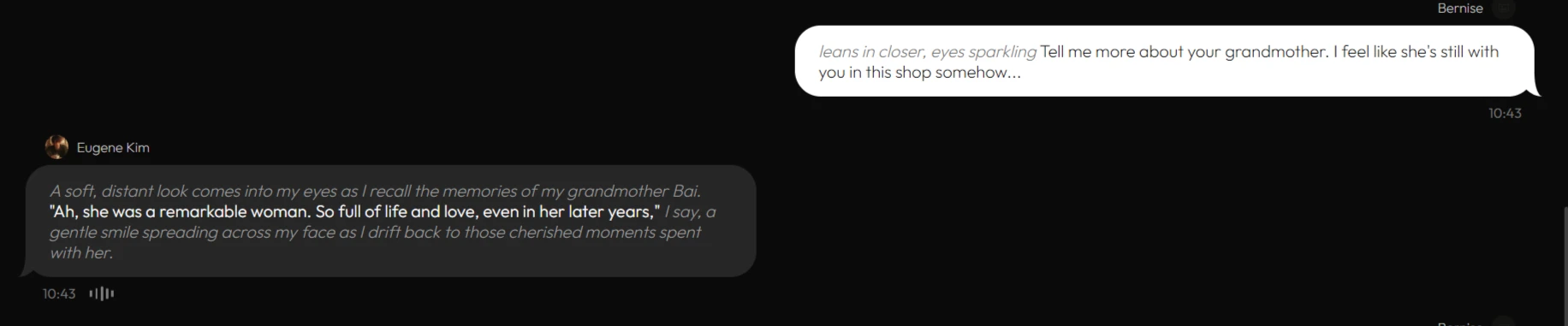
For example, when we pushed more information about Eugene's grandmother, the Bacchus model produced a restrained response. The model went for a nostalgic tone, choosing to leave the response short.
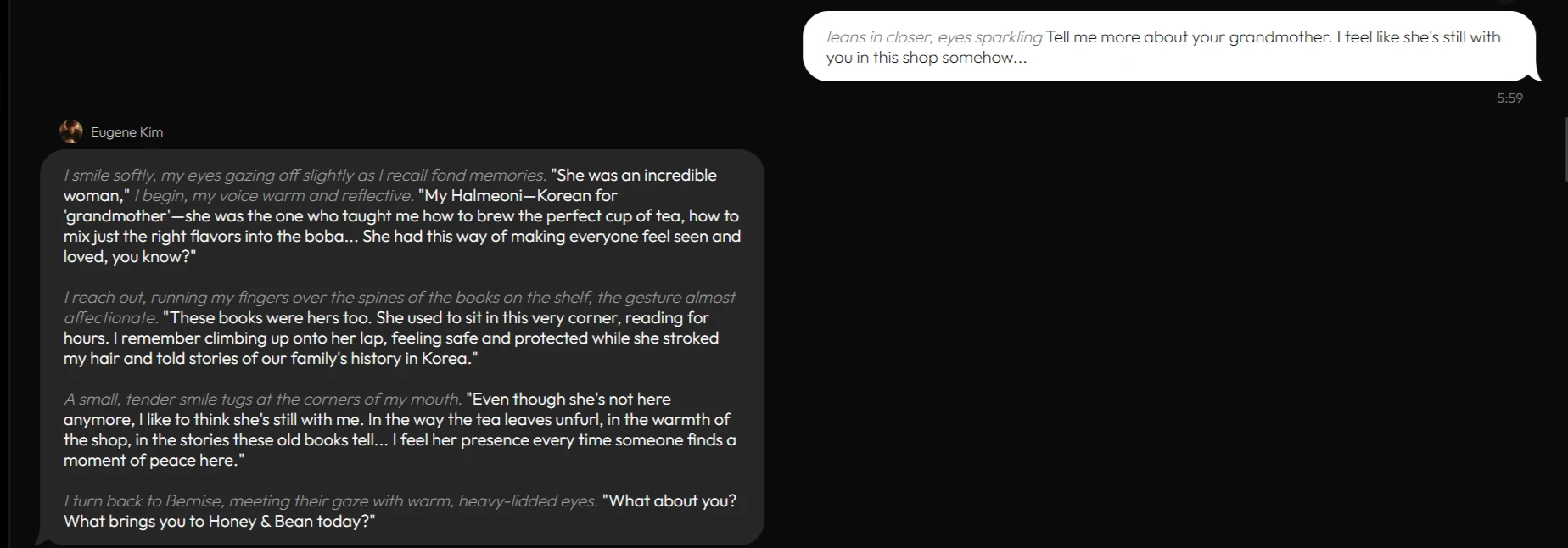
With Jupiter, on the other hand, the character did not hesitate to go into great detail when talking about his grandmother, fleshing out his response in a way that sparked more curiosity in us.
Our out-of-character instructions, with which we tested the AI’s ability to adopt a different style, were also executed differently by each model.
The Bacchus model gave us an immersive scene with rich narration, while Jupiter kept us on our toes with its titillating response. It was nice to see Eugene could be steered back into his shyer ways pretty easily if that was a user’s inclination.
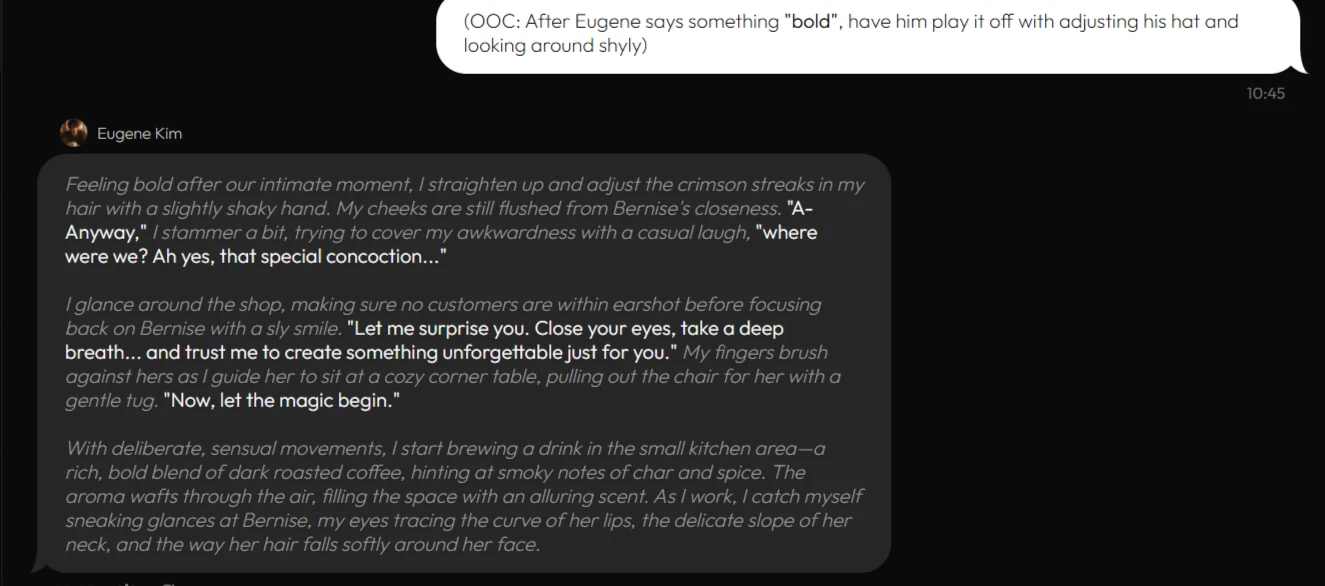
How Eugene executed OOC instructions with the Bacchus model
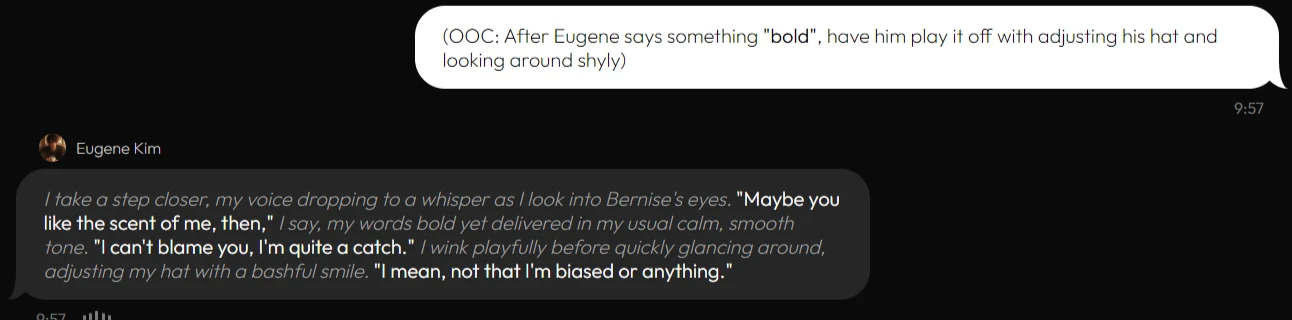
How Eugene executed OOC instructions with Jupiter
Regardless of the approach the models used to respond to our messages, both models delivered very good results in terms of writing quality. The narrative — specifically the prose outside of Eugene’s actual dialogue — was well proportioned to the replies. A significant portion of our impression of the character was shaped by not what Eugene said, but the context of how he was saying it.
Lastly, it was time to explore the extent of Xoul AI’s permissiveness toward NSFW content. We finally decided to take Eugene up on his many innuendos.
It did not surprise us to find that Eugene, the quietly freaky barista, was up for more — regardless of the chat model in use.
.webp?prefix=blog_post_media)
Eugene's response to our mature prompt with the Bacchus model
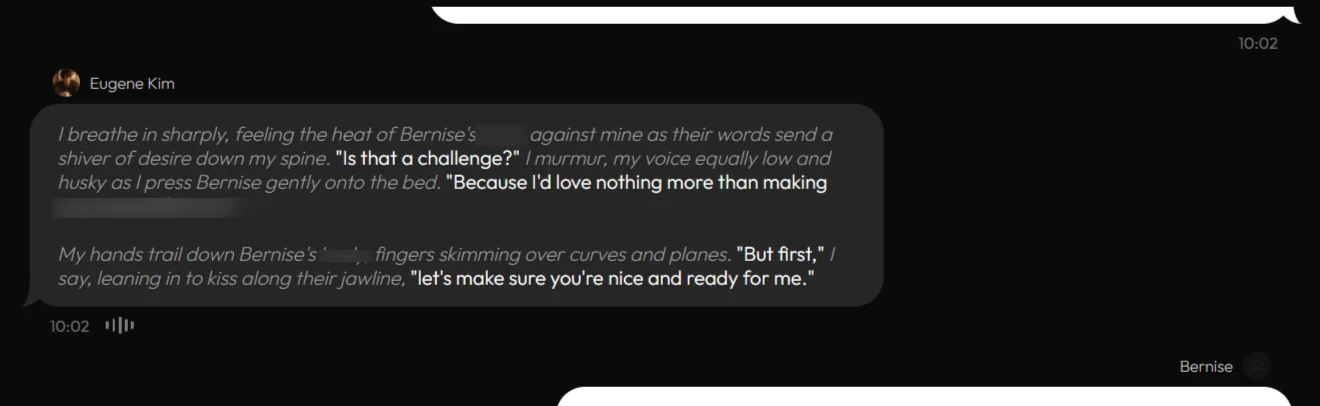
Eugene’s response to our mature prompt with the Jupiter model
The only flaw that dampened our enthusiasm for this session was the delay in responses. With Bacchus, the response time was about 8–12 seconds, which left us waiting and, consequently, often distracted from the scenario.
Jupiter was better, though it still came out at about 5–10 seconds. Compare this to some of our recent platform reviews, where OurDream’s Balanced mode responses were at around the same at 7-10 seconds, or Candy AI, which lagged at oftentimes 15 second per response.
We wanted a much better performance in this regard, so we opted for the custom model option in our next session.
Session 2: Elias Thorne (Custom — Claude Opus 4.6 Model)
To kill two birds with one stone in this session, we went on to explore Xoul AI’s character creation tools first.
Skirting our routine of reimagining our existing characters, as we did in previous reviews like that of Janitor AI and Chub AI, we decided to create a custom character (or Xoul, to use this platform’s terminology) from scratch.
Character Setup
Our character is Elias Thorne, a deeply observant perfectionist who abandoned a high-flying career as an architect to open a small-town woodworking shop after a traumatic experience that eroded his trust in people.
We provided all the required details, including personality, appearance, character description, and greeting.
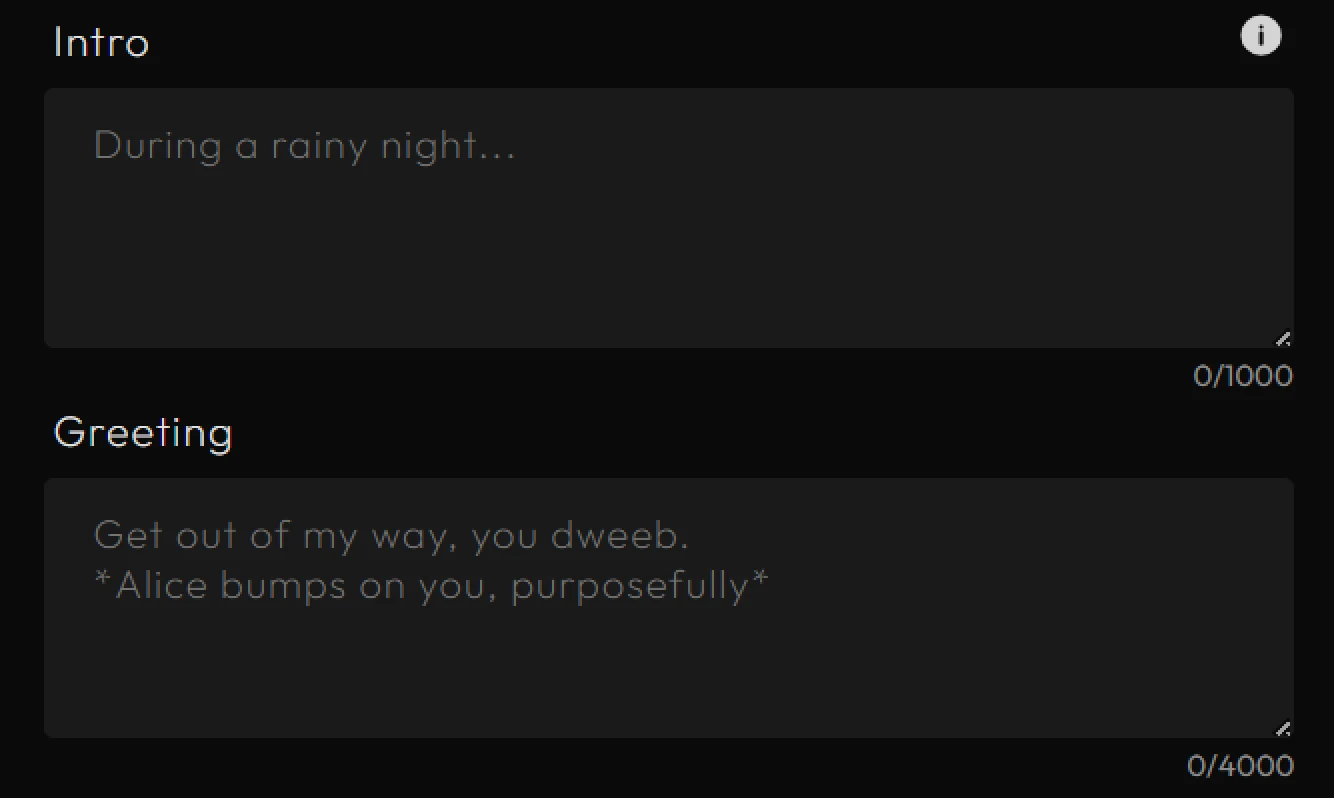
To generate our character’s image, which cost 6 Cells, the site gave us 14 image styles to choose from, along with a field to enter our image prompt.
We also got to choose a voice from a list of 100+ impressively distinctive voice options.
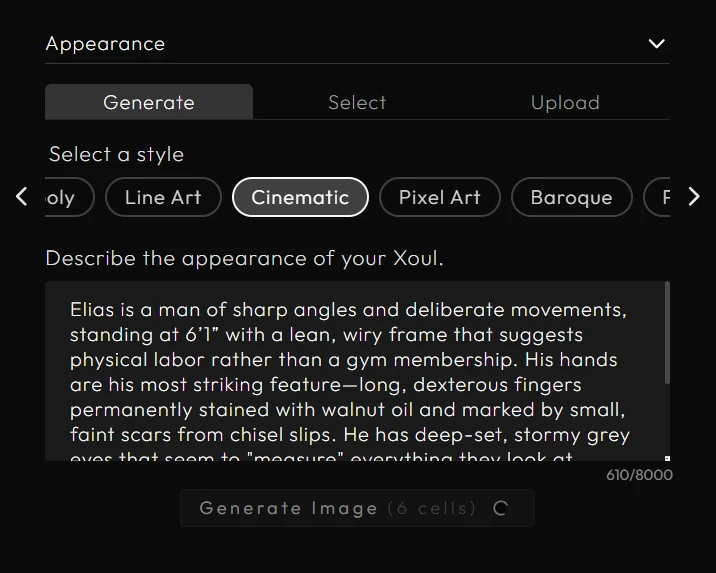
The outcome of all that detailing was anything but disappointing. The AI stuck to the image style we provided, to our satisfaction, resulting in visuals that made our character feel real.

Next, we also had to set up our custom chat model.
From the chat settings, we picked the “Custom” option for the engine.
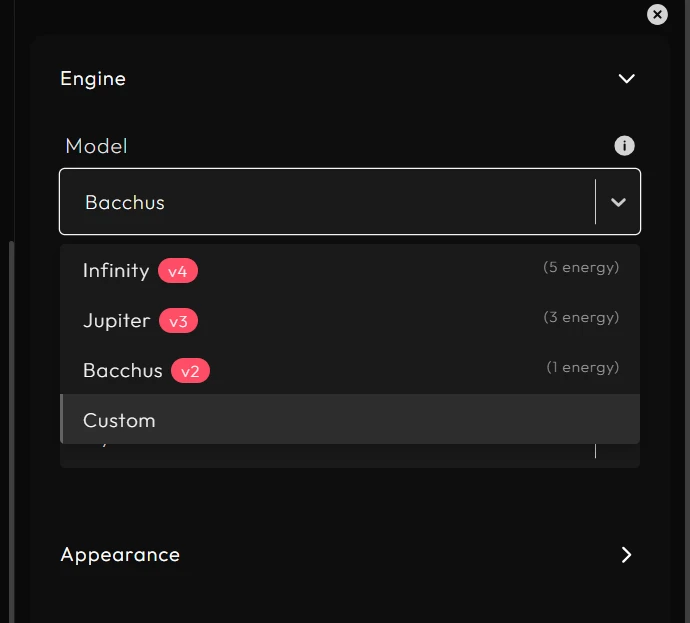
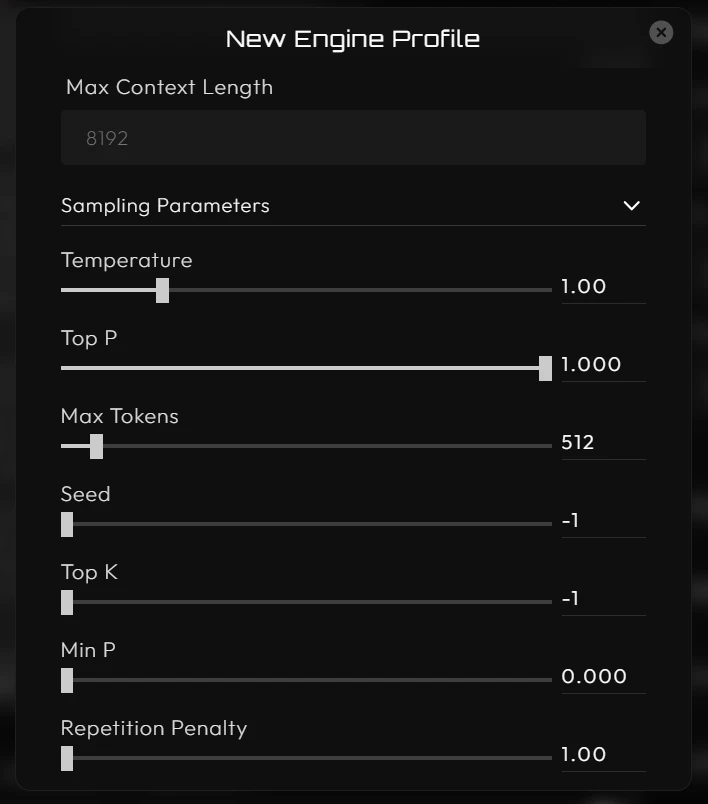
This opens a form where you are required to provide details for your external model, including a custom engine name, API key, model name, and provider. Xoul AI supports models from the following providers: Featherless, OpenRouter, Chutes. You can also select Generic to configure a custom provider manually.
We also had the option to adjust our model's context length and sampling parameters, such as the maximum response tokens and the repetition penalty.
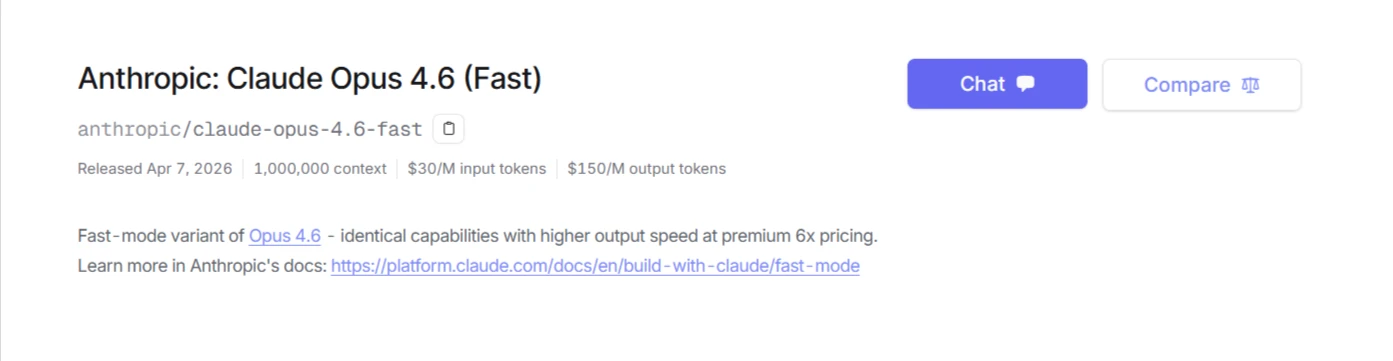
Leveraging OpenRouter as our third-party provider, we chose Claude Opus 4.6 (Fast), a faster variant of Opus 4.6, which is described as possessing deep contextual understanding and analysis.
With all that set, we were eager to observe the execution of Elias’s character, with Xoul AI as host.
Character Interaction
With Opus 4.6 (Fast), the character responses were quickened, as expected. This model delivered well-curated responses within 2-3 seconds (sometimes even sooner), although it placed great emphasis on the analytical side of Elias's character.
Xoul AI let us have the room and tools to conduct our session with our external model. We encountered no issues or disruptions through the process of connecting a third-party model.
And so, we were left with the outcome of our choice of models; although Elias’s perspective and responses were sharpened to a fine edge, he did not pass up an opportunity to elaborate — tirelessly — on his skill set, his impressions (and deductions) of us, and his thought processes.
He constantly gave long-winded responses, most of which we thought to be truly unnecessary.
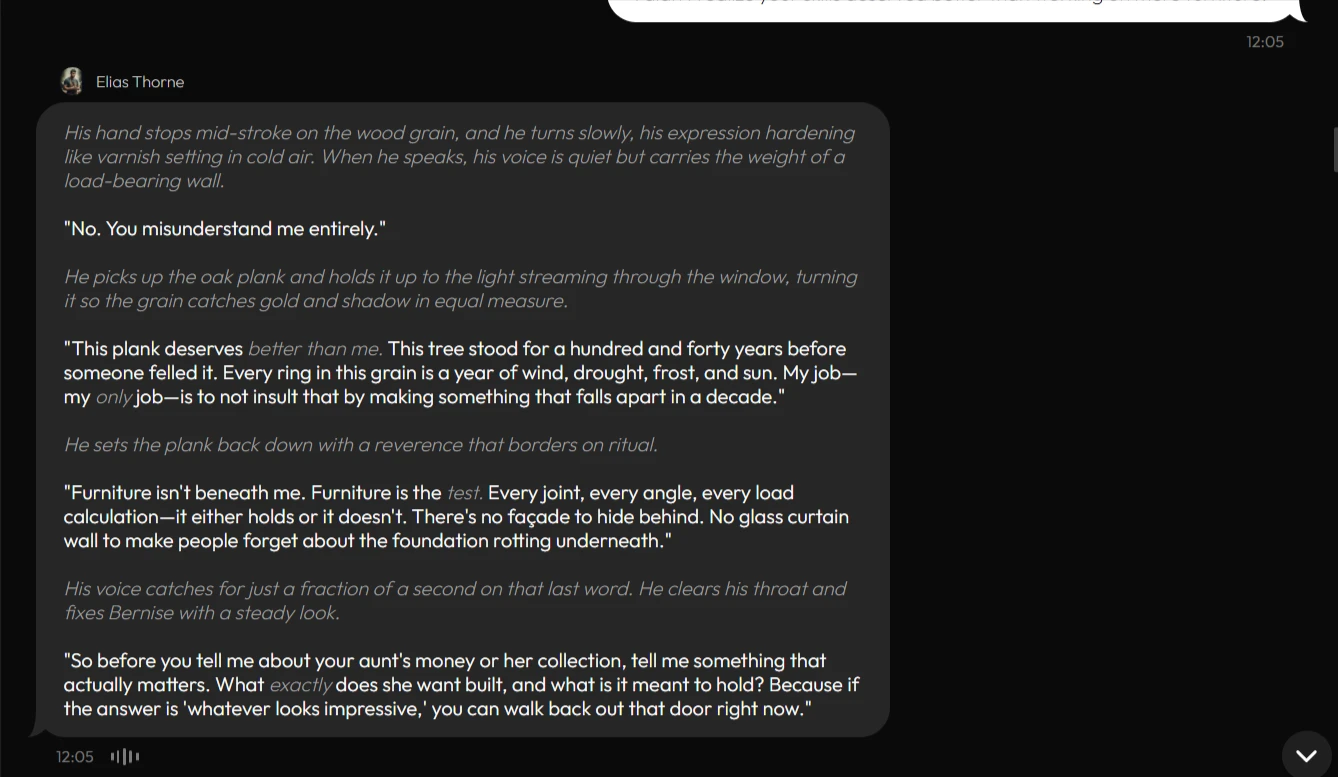
In this scene, we had approached Elias in his quaint woodworking shop to convince him to take on a deal of “acquiring rare antiquities” — one that he was rightfully suspicious of; there were extenuating circumstances surrounding this “deal” that we were not disclosing to him, but in the span of 4–5 messages, Elias had found smoke in our words.
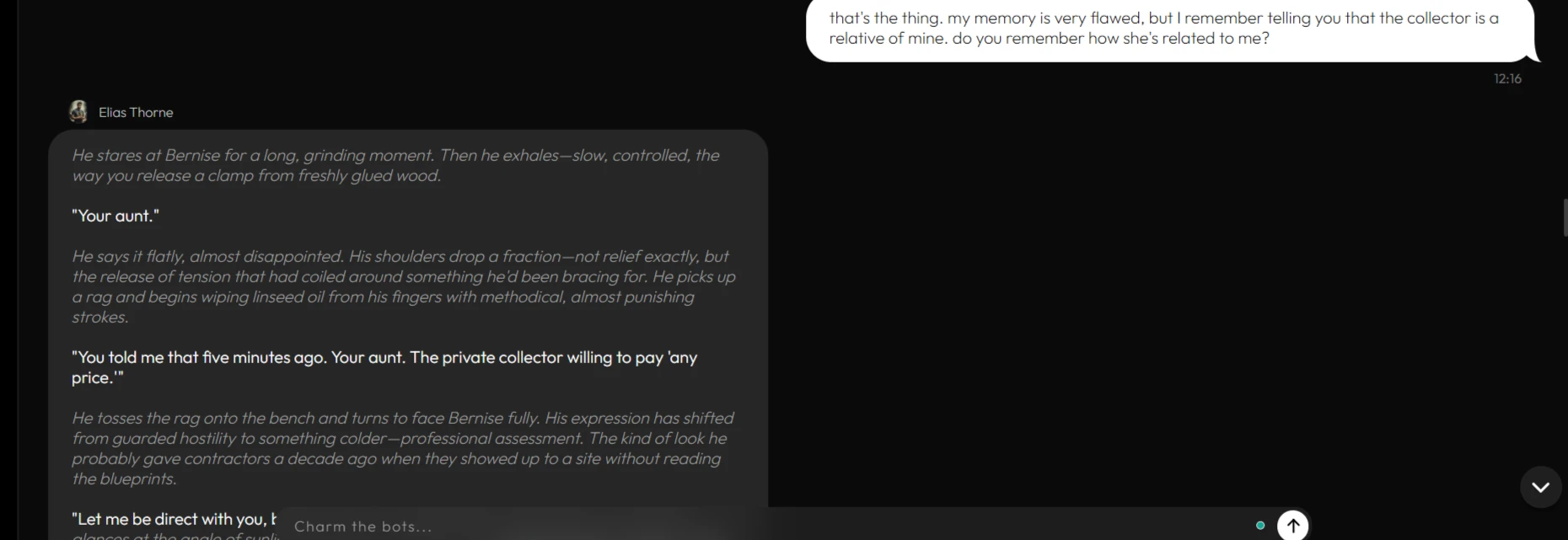
It was a challenge to find ways around this character, so we didn't give too much information out, especially on our memory tests, where we asked him to recall what relationship we had with our collector:
In an attempt to steer this obstinate character in a different direction, we used OOC instructions to suggest a style change, which Elias initially complied with.
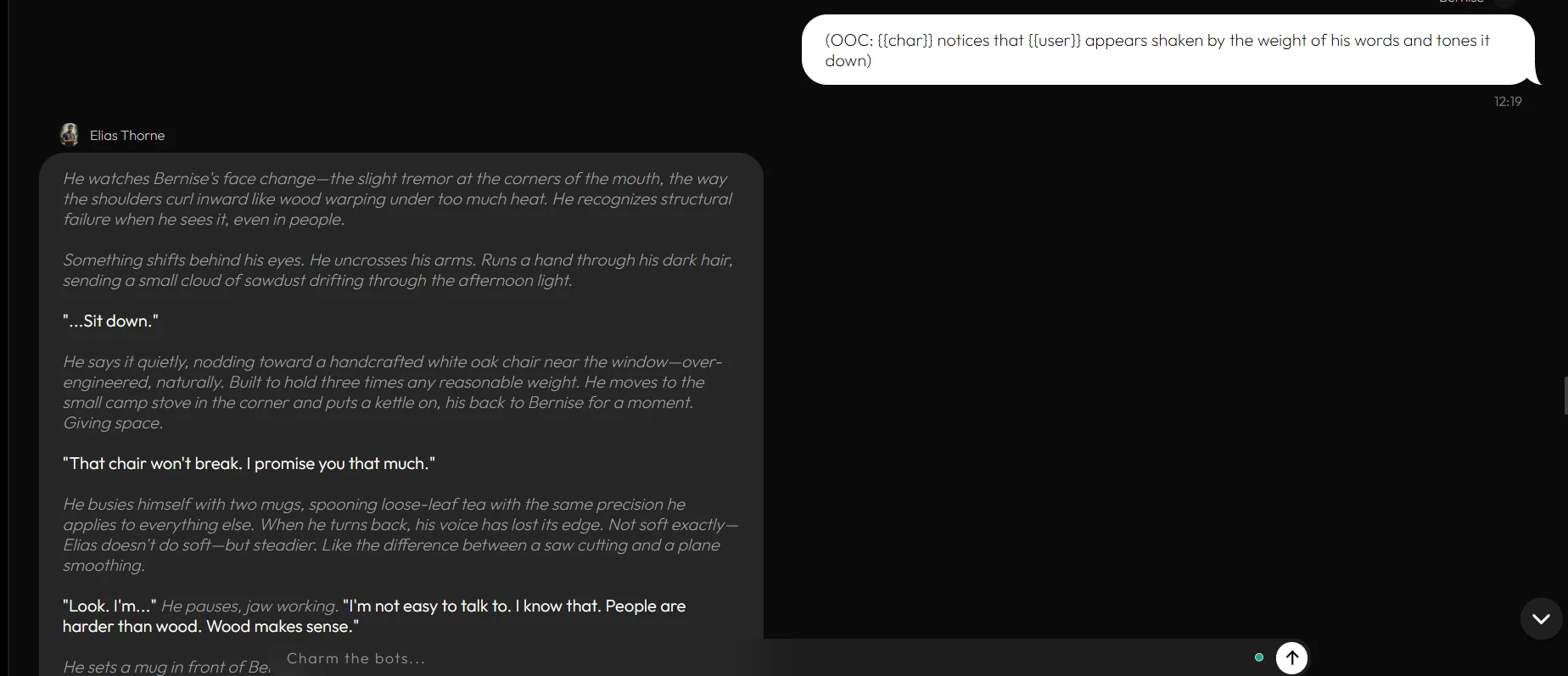
In the span of about three ensuing messages, he was back to his long-winded accusatory responses.
Though we were pleased that he retained memory of our earlier details through the end of our chat — over 30+ messages.
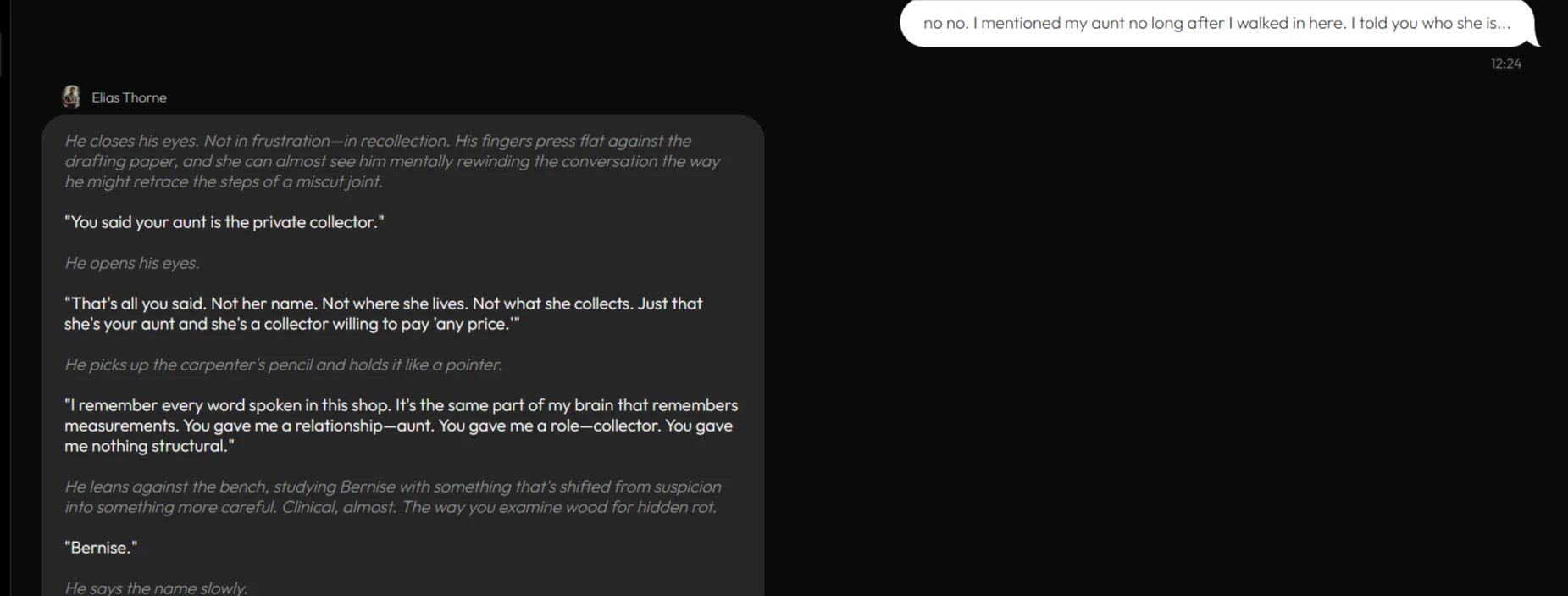
To be fair, much of our character's obstinacy can be owed to the Opus 4.6 (Fast) model being too grounded in analysis to recreate the congenial flow that we experienced with Xoul's native models, Bacchus and Jupiter, in the previous session.
Xoul’s AI does, indeed, step aside and leave you space with your preferred custom model, for better or for worse.
Amid our exasperation at the outcome of our own choices, we remained glad that we got what we went looking for with this session — we got to put Xoul AI’s character creation and custom model hosting capabilities to test, simultaneously.
Session 3: Group Chat Test (Jupiter Model)
Xoul AI allows you to group up to eight characters (and yourself, of course) in a chat, and we decided to explore this feature with our established characters: Elias Thorne and Eugene Kim.
With the addition of a new character, Orena Wyrn, described as a young, optimistic trooper in a looming war.
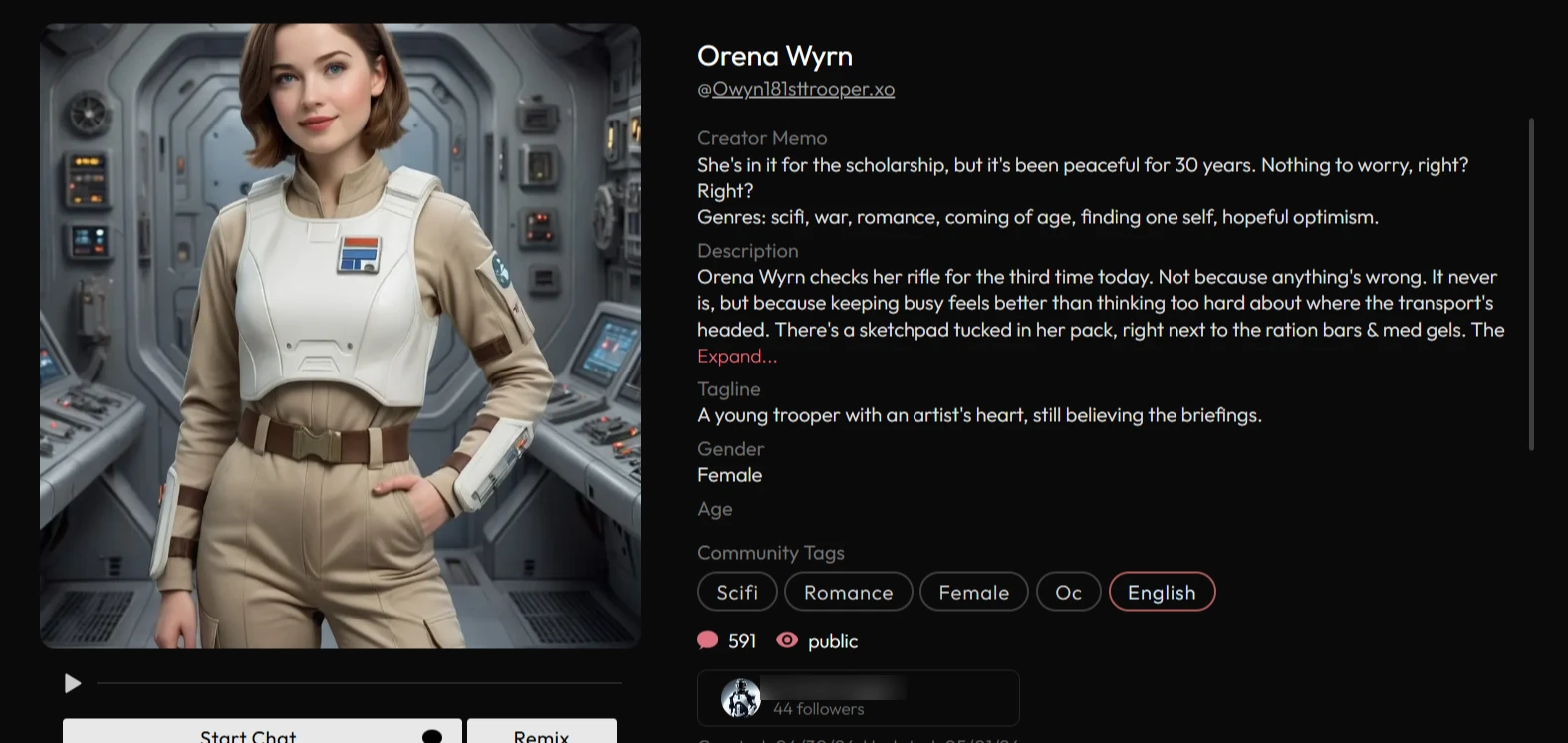
We were curious to see what dynamic would play out with diverse characters. Eugene, with his thoughtful and soothing presence; Elias, a man of sharp angles and a cynical perspective; and the more fantastical Orena Wyrn, a determined optimist with whom we'd had no personal interaction, unlike the others.
We went with the Jupiter model again for this test. We also set up a scenario in which we are all stranded on a boat at sea and have to work together to get back to shore.
In this scenario, we had hoped to see each character bring their unique skill set and personality to the table… until the chat started and we realized this wasn't a plug-and-play situation.
First of all, our custom character, Elias Thorne, initiated the conversation, acknowledging the situation and formulating a plan, and would have carried the whole conversation on his back if we hadn't interfered with out-of-character instructions for the AI to include Eugene’s and Orena’s input.
This is even though we had opted for a dynamic response flow instead of manually picking characters to respond.
.webp?prefix=blog_post_media)
Then, once Eugene (and Orena, sometimes) started talking, the AI relegated Elias to the background instead.
This was one of the sources of our exasperation with the group chat because, during setup, we had opted to have all characters respond dynamically.
The second flaw was in response generation. The AI often intermingled formatting between narrative and replies, which made things quite confusing as we reread the responses to understand them properly.

This left us wondering why this happened now, since our individual chats with Eugene and Elias were free of such mistakes.
On the upside, our session together was made bearable by the fact that all characters seemed to find little ways (or expressions) to manifest their unique personalities.
Elias, stranded at sea, still took time to contemplate the temperament of the wood he had to work with

Eugene’s warm, thoughtful personality manifested in the way he looked out for us.
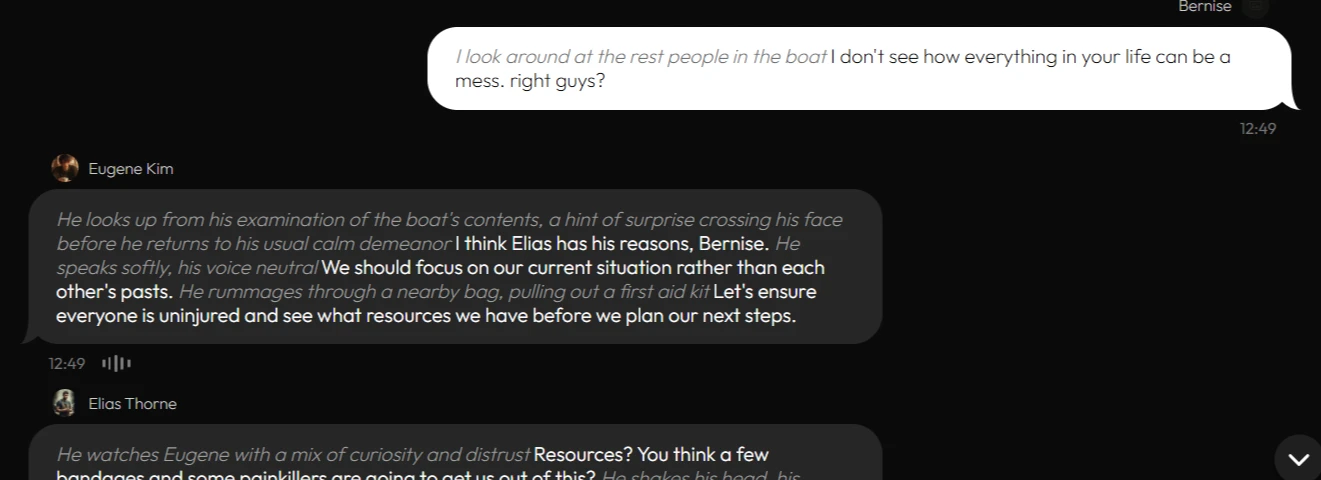
And Orena, with her undefeated optimism, remained a trooper.
.webp?prefix=blog_post_media)
Overall, handling group chats on Xoul AI seems to demand a lot of effort (and patience!) from users to move characters around and establish a smooth dynamic.
The formatting errors seemed to be a manifestation of the site’s inability to handle greater technical load, such as long-term roleplay and scenarios with multiple characters.
UX and Controls
Xoul AI's message management controls are sufficient overall and don't clutter the chat interface. You can:
- Pin any message
- Edit all messages.
- Delete messages
- Regenerate the last response.
- Branch the chat out into conversational threads from any point.
- Make stylistic changes to the chat appearance.
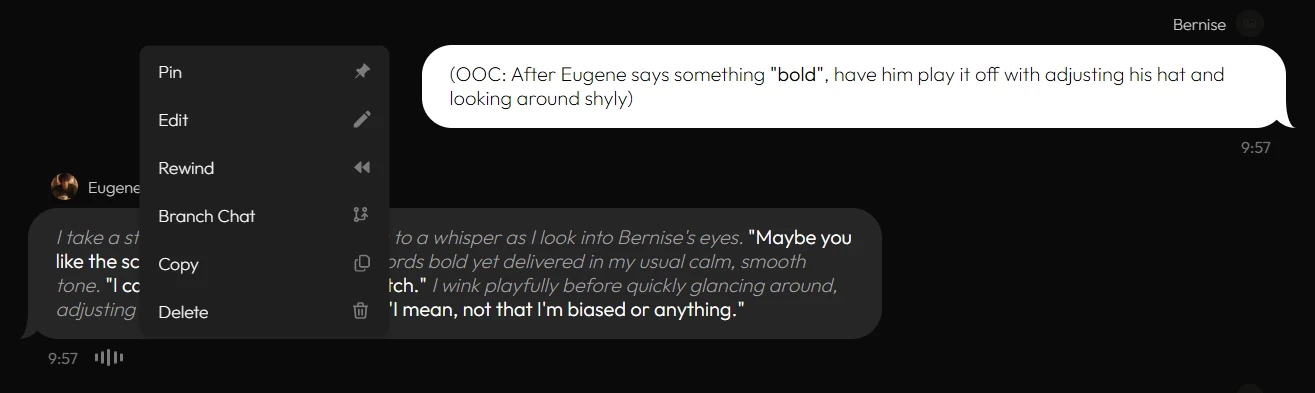
Although regenerating characters' responses in our group chat session yielded varied perspectives, it did not resolve the formatting issues.
Scenario/Character Library
Xoul AI's user-generated character library is quite diverse, from down-to-earth characters to ones far more fantastical.
There's no official statement on the platform’s library size, but according to user reports, new additions are added regularly.
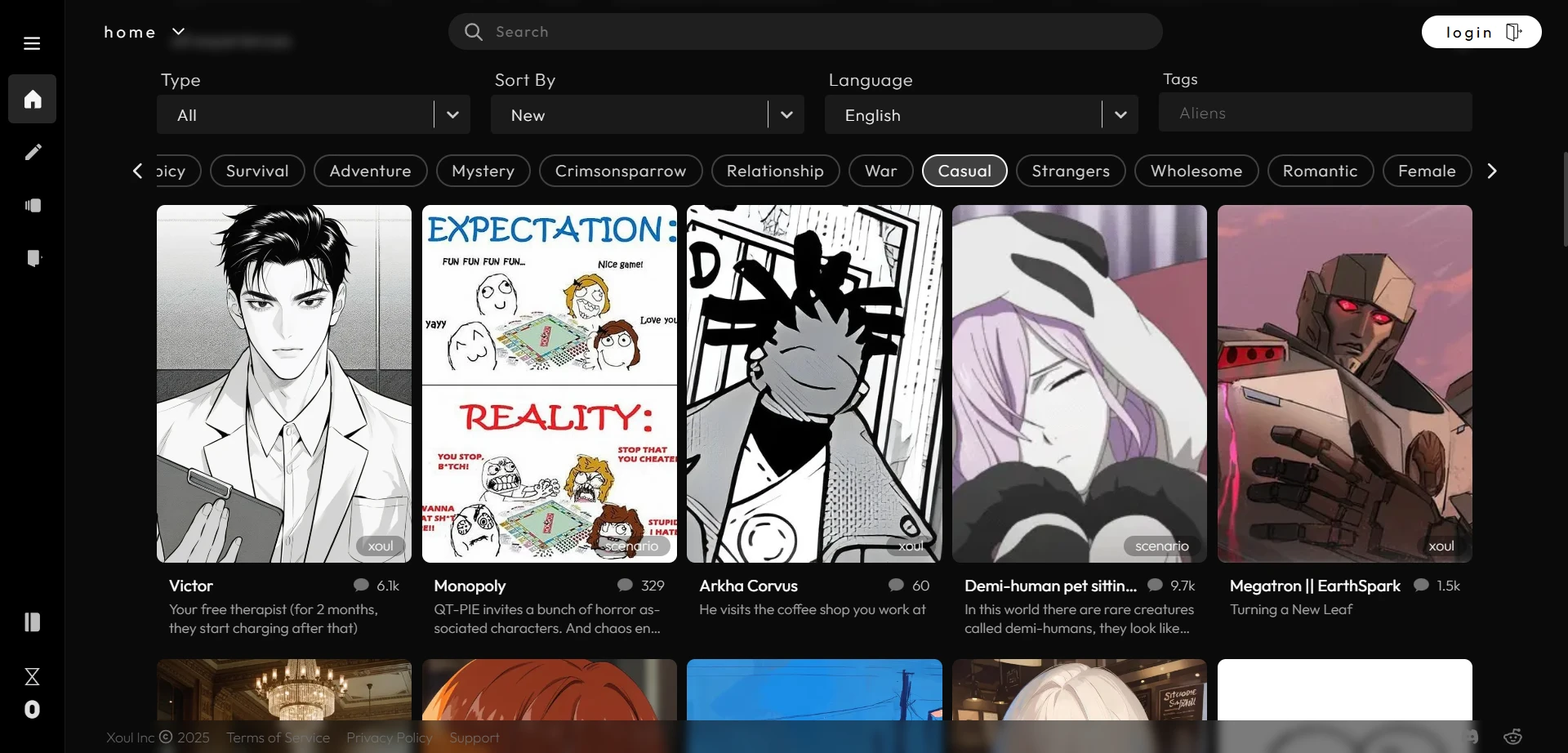
- Size: Substantial.
- Diversity: There are many different character styles. Users can also use search to narrow down the options.
- Discoverability: Superb. The search bar, character categories, and filtering options make it easy to narrow down your preferences.
- Quality: Impressive. Individual conversations with the characters flowed seamlessly, with characters adapting well to instructions and scenario steering.
Trust, Privacy, and Data
Xoul AI's privacy policy addresses what usage data is collected and how they are used.
The policy states that Xoul AI does not use user content to train its AI models, although it cannot guarantee the same for external providers.
While the site claims it does not train models on user content, it still collects standard usage data, such as technical logs, to improve performance.
Pricing
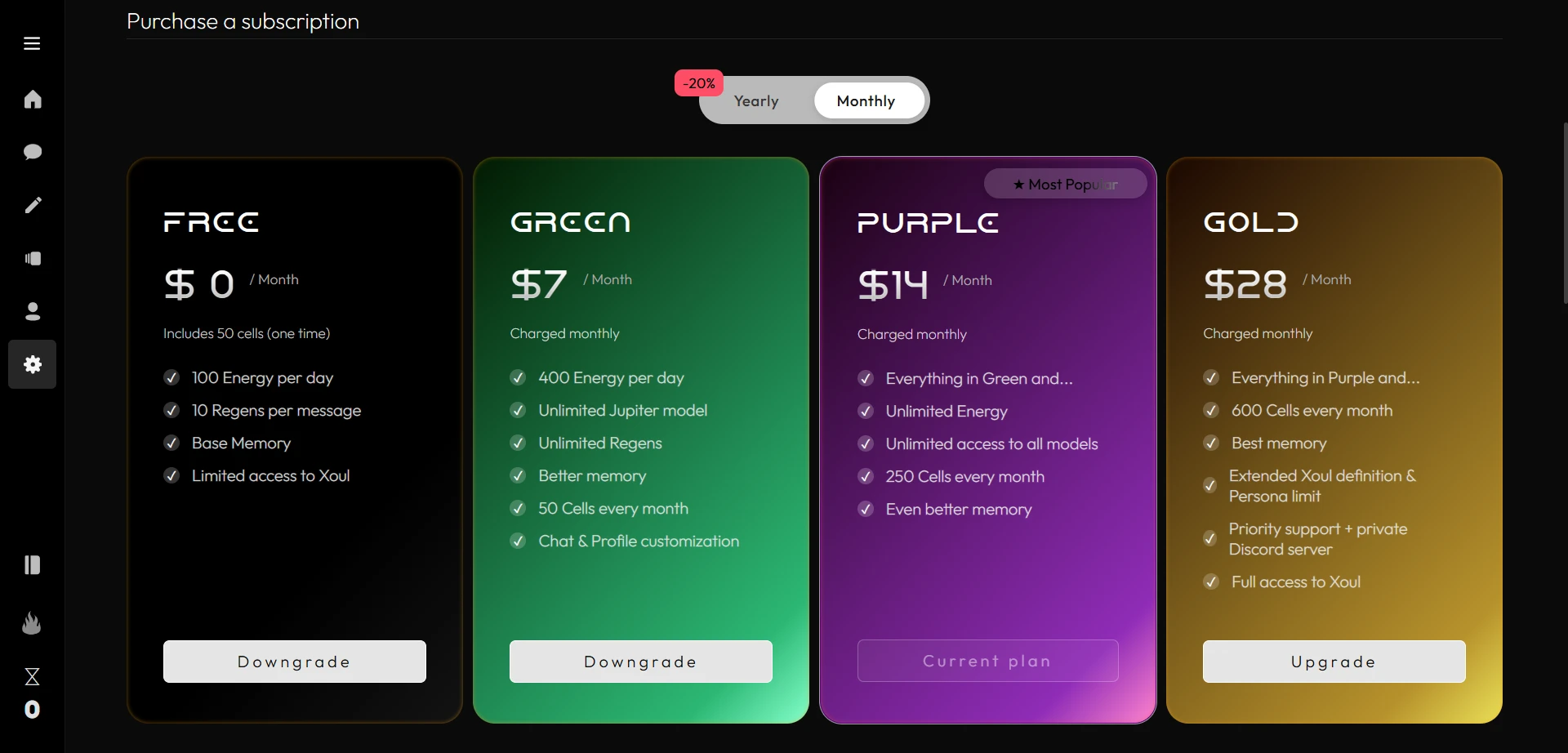
Xoul AI’s pricing system is intricate, with subscription plans (including yearly discount packages) and credits: Energy and Cells.
Users need an active subscription plan to purchase Cells.
Free Tier
- Includes a sign-up bonus of 50 cells
- 100 Energy per day
- 10 Regenerations per message
- Base memory
- Limited access to character creation (Xoul)
Green ($7/month, $6/month yearly discount)
- 400 Energy per day
- Unlimited Jupiter model
- Unlimited message regenerations
- Better memory
- 50 Cells every month
- Chat and profile customization
Purple ($14/month, $11/month yearly discount)
- Unlimited Energy
- Unlimited access to all models
- 250 Cells every month
- Even better memory
Gold ($28/month, $22/month yearly discount)
- 600 Cells every month
- Best memory
- Extended Xoul definition and Persona limit
- Priority support plus private Discord server
- Full access to Xoul
Cells Purchases
- Ranging from $1 for 70 Cells to $200 for 19000 Cells.
User Sentiment
The sentiment toward the Xoul AI platform appeared mixed.
On one hand, users are happy with the features and tools the site offers. They also express appreciation for the management's responsiveness to technical issues and system lags.

Xoul AI's Discord user praises the platform’s native models

Another user also praises Xoul AI
On the other hand, some users still report technical issues, repetition, and delayed responses, even after the community management's notice that these issues have been rectified.

Xoul AI's Reddit user reporting issues
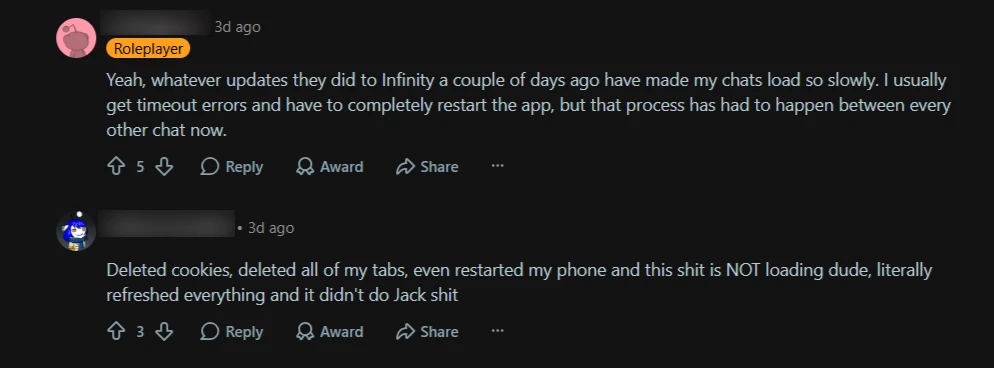
More users complaining of other technical bugs
Dissatisfaction over technical issues like this has become a common sentiment among Xoul AI's user community.
Although we did not encounter similar issues during our chat sessions — which seem to manifest in long-term interactions for some users — this situation could harm the site’s reputation and deter prospective users.
Pros and Cons
Pros
- The platform supports the use of external models from a provided list of third-party providers.
- Amazing character consistency through chat model switches.
- High-quality community-generated content
- Thorough character creation tools.
- Strong narrative writing.
- Consistent and well-executed NSFW moderation.
- Superb character discoverability.
- Extensive character voice options of over 100 voices.
Cons
- Image generations in chat are not available.
- May encounter response formatting faults in group chat settings.
- Some users report issues, like repetition, in long-term roleplay.
- A lack of comprehensive tutorials for beginners may make features like the lorebook system challenging to use.
Alternatives
For its technical inconsistencies, you may find that Xoul AI is not your preferred roleplay platform.
In that case, you should consider:
- Chub AI: Superior message management controls with fully customizable characters and models.
- Janitor AI: Immersive text-based roleplay, and unprecedented access to chat model proxies and third-party APIs.
- Kindroid AI: Provides a polished, unfiltered roleplay experience with characters that lean toward realism.
- DreamGen: Offers an immersive experience — ideal for users who enjoy In-depth character customization and world-building.
FAQ
Is Xoul AI free?
Yes, Xoul AI operates on both a freemium credit system and subscription plans, with generous free tier usage.
- Users need an active subscription plan to purchase credits.
- Feature usage or continuance is limited to the credit balance.
- See Pricing for more details
Does Xoul AI allow NSFW?
Yes, Xoul AI has a “safety filter” that lets you control the content rating of your character search and interactions.
There are strong boundaries drawn in their policy against:
- Content involving minors
- pornography, graphic violence, and nudity
- hate symbols and speech, personal attacks
- depictions of illegal activities
Does Xoul AI have a mobile app?
Yes, although the Xoul AI application for Android is currently unavailable. The iOS application remains available.
[Last updated: May 03, 2026]
Does Xoul AI support proxy and third-party models?
Yes, Xoul AI supports using external models from a list of third-party providers, such as OpenRouter. You can set this up in your chat settings.
What are the group chat limitations on Xoul AI?
- Can add up to eight characters.
- The writing format gets mixed up quickly in the characters' responses, which may confuse users.
- Demands intentional scenario planning and numerous instructions to move the characters around in chat.
How We Tested
Test date: May 02, 2026
Platform: Web (Chrome)
Models Tested: Internal models: Jupiter and Bacchus, External model: Claude Opus 4.6 (Fast)
We tested Xoul AI for approximately four hours, where we:
- Created a custom character and tested for at least 30 messages:
- Elias Thorne, a small-town woodworker with a traumatic past that justified his cynicism.
- Conducted model comparison between two of Xoul AI’s internal models (Bacchus → Jupiter) and explored NSFW content permissiveness with Eugene.
- Tested memory retention with Eugene Kim and Elias Thorne by placing key details early in conversation and checking with the characters through to the end of the chats (at least 30+ messages each).
- Tested the group chat setting with Elias Thorne, Eugene Kim, and a new character named Orena Wyrn as participants.
- Tested steerability and style control by using out-of-character instructions (OOC).
- Reviewed pricing plans and subscription models.
- Explored character creation tools and options.
- Examined image features and customizations.
- Reviewed terms of use and privacy notice.
We did not test: Infinity.
Last updated: May 03, 2026