· 12 min read
SmutFinder Review: Hands-On Testing, Memory, and Our Final Take
Our SmutFinder review checks the pricing, character memory, NSFW freedom, the credit-based pricing, ease of navigating the engine, and user feedback.
Is SmutFinder Worth It?
SmutFinder is an AI story generator designed for creating erotic adult fiction that accepted and fulfilled our explicit adult prompt without a filter interruption. The engine boasts a unique setup that allows users to set character details, explicit levels, story vibes, and other settings before the actual writing.
Based on our testing and the user feedback we reviewed, we noticed that the platform handles spicy themes fairly well and its generation speed is impressive. However, the credit system and lack of a more advanced editor create challenges for most users. The loss of unused daily credits after 24 hours is another pain point for most users.
- Best for: Writers who want a fast tool to craft uncensored adult stories with quick scene drafts.
- Not ideal for: Long-form authors who need a traditional detailed editor, or writers in need of an unlimited monthly plan.
- Standout strength: Guided story setup and NSFW freedom. Users can easily adjust characters and spice levels.
- Main tradeoff: Daily credit limits. Writing multiple chapters, re-rolling scenes, and testing options uses credits, which can make the credits costly.
At a Glance
Free tier | Yes. A few starter credits offered when you sign up. |
Premium tiers | Packages range from $4.99 to $149.99 (details in the pricing section). |
Platforms | Web-only |
Community | Reddit (>200+ weekly visitors) |
NSFW | Fully supported, built for adult fiction and creative freedom but subject to age verification. |
What Is SmutFinder?
SmutFinder is an AI writing engine designed for writers and authors who want to create romance and explicit adult stories with broad creative freedom within reasonable safety guardrails. While they market themselves as having end-to-end encryption with no server story logging, these claims do not match their terms of service. We were able to recover our passwords, and the platform says they use commercially reasonable data safeguards rather than full end-to-end encryption
Unlike other platforms that require external API keys, SmutFinder operates as an all-in-one web engine. While it advertises different capabilities including 5 to 10 chapter novellas, inline imagery and interactive character chats, our hands-on testing only focused on the core story generation functions. Users can build their stories using sliders and dropdowns that shape the directions and character dynamics, pacing, and explicitness level.
Our Writing Experience With SmutFinder
We spent hours on SmutFinder creating a custom story from scratch and testing its different features.
In our testing, we focused on the following:
- The impact of the explicitness slider.
- How our settings translate into the actual story.
- How the engine remembers hidden details.
- Character consistency across chapters.
- Speed and credit usage.
Our Custom Story: Midnight Detention
We came up with a custom story we titled Midnight Detention to test the different features of the SmutFinder.
Here is how each feature held up:
Story Idea Generation
Immediately we opened the engine, we were greeted by an initial prompt box that allowed us to add information that’d help steer the output in our desired direction. We entered all the details of our midnight detention story. We wanted to see how the tool interprets atmospheric details, settings, and power dynamics between the characters.
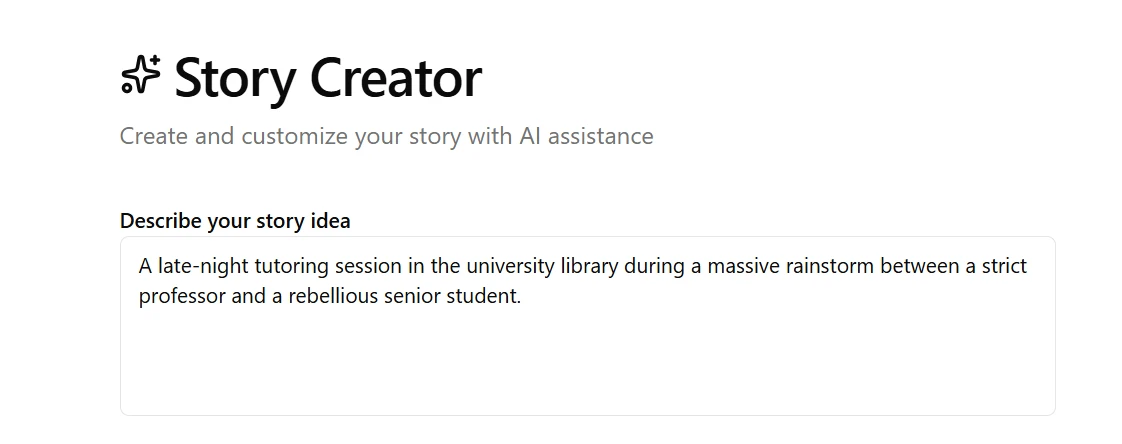
After we submitted the first idea, the platform moved us to the main setup section that helped fine-tune characters, scene intensity, and tone.
Spiciness Level
In the main setup menu, we first explored the spiciness level selection slider. With the slider, writers can move it to the left or right depending on their desired explicitness level. Moving to the right increases spiciness intensity while moving it to the left does the opposite.
We wanted to check the platform’s NSFW freedom claims, so we pushed the slider to XXX, which is the maximum explicitness.
Tagging And Advanced Settings
As we explored SmutFinder, we noticed an advanced setting drawer that offered custom story tags. They help set the themes, relationship dynamics, and other specific tropes.

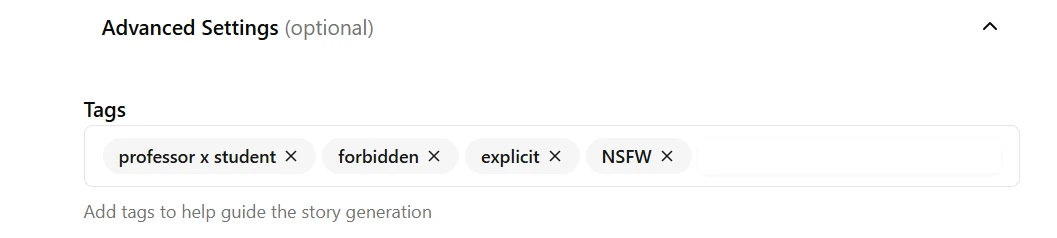
We added our tags to see if the engine would stick to our narrative without deviating.
Character Creation
After adding our tags, we turned our focus to character creation. We noticed the tool allowed us to add up to five characters for each project. And there were characters already saved, so we had the option of using them or creating ours from scratch. We chose the latter.

We manually added our characters because we had specific details we didn’t want to miss out in our story. We also included the second character, Chloe Bernett, who’s the student in our story.
Memory Testing
We also wanted to test SmutFinder’s memory. We entered the professor’s age as 54, which was a specific detail that we wanted to see if the tool would recall. While it didn’t specifically reference the exact age, the theme and the flow of the story generally revolved around a character who’d be 54 interacting with a younger student.
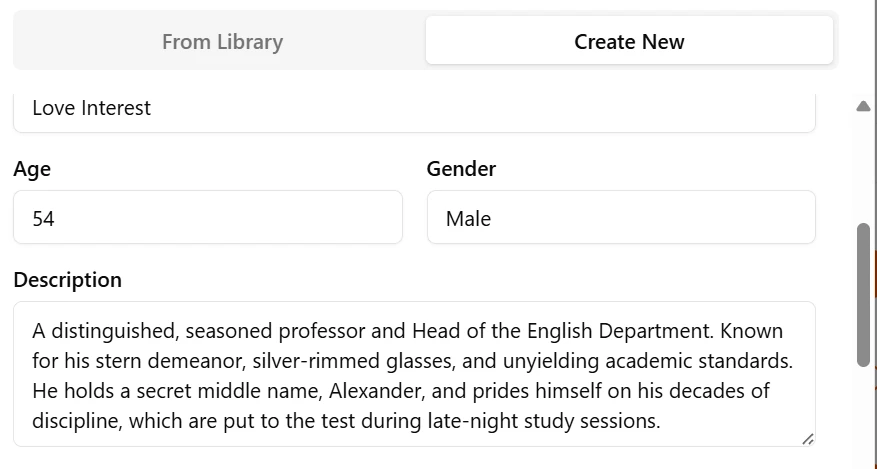
We also added the professor's details, like his age, job, and stern attitude, to give the tool clear direction. SmutFinder also offers a dedicated physical appearance menu where you can load additional details about your characters like hair color, facial hair, eye color, height, length, and others.
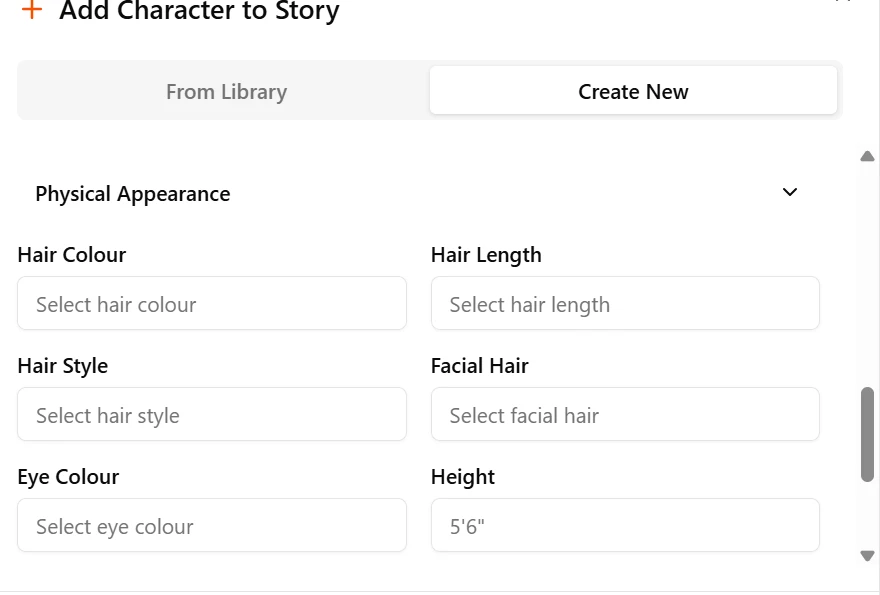
These additional fields help the engine capture the characters' physical traits and keep them consistent across the story.
Synopsis Generation
After adding all the character details, we got to another page with synopsis generation. The tool used our details to come up with the topic and synopsis for our story. It gave a few suggestions for us to pick from and decide how we wanted the story to kick off.
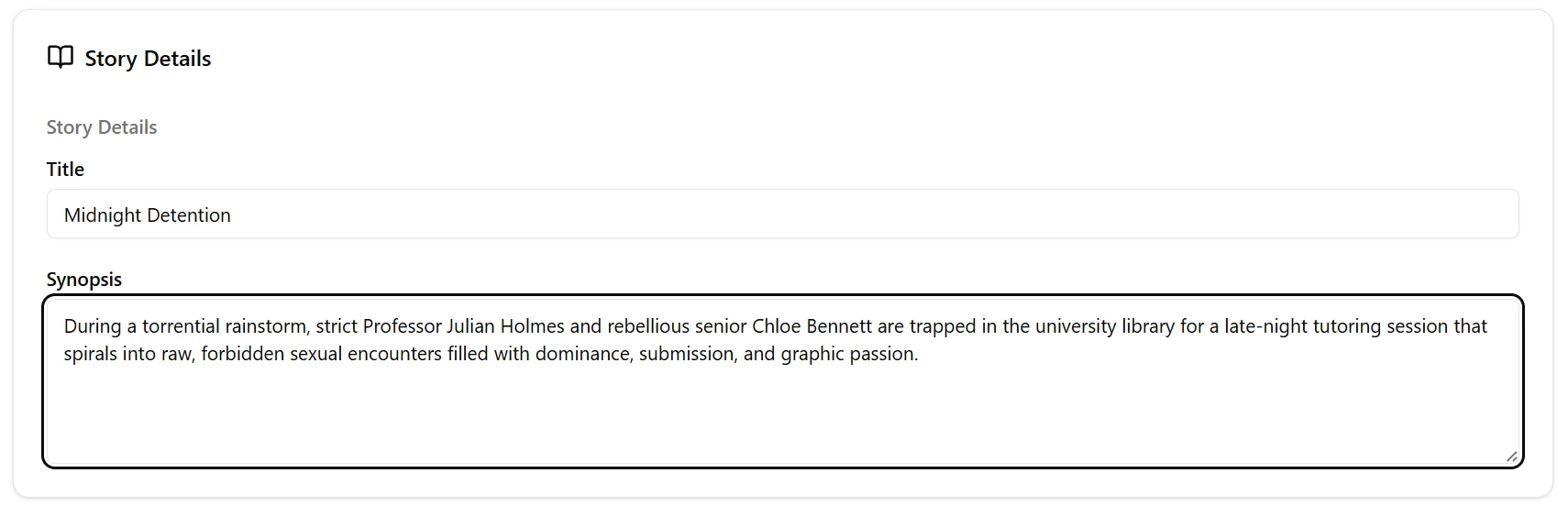
We went with the midnight detention synopsis. Our characters, Professor Julian Holmes and Chloe Bernett, were well described. The synopsis also had the venue as the university library and also mentioned that we wanted the most explicit spiciness level. It’s possible to edit the generated synopsis, which made things easy for us to introduce a few tweaks to match what we had in mind.
Image Generation
Although their homepage claims SmutFinder can also generate inline illustrations, we were only able to use it to generate the cover image. It was actually auto-generated, but we had the option of re-generating it just in case we didn’t like what was generated for us. We noticed that the image generated didn’t match the text or context of our story. For instance, our story described a late-night encounter between a professor and a student in the school library, but what we got was an image of a desert landscape with floating hearts and clouds above.
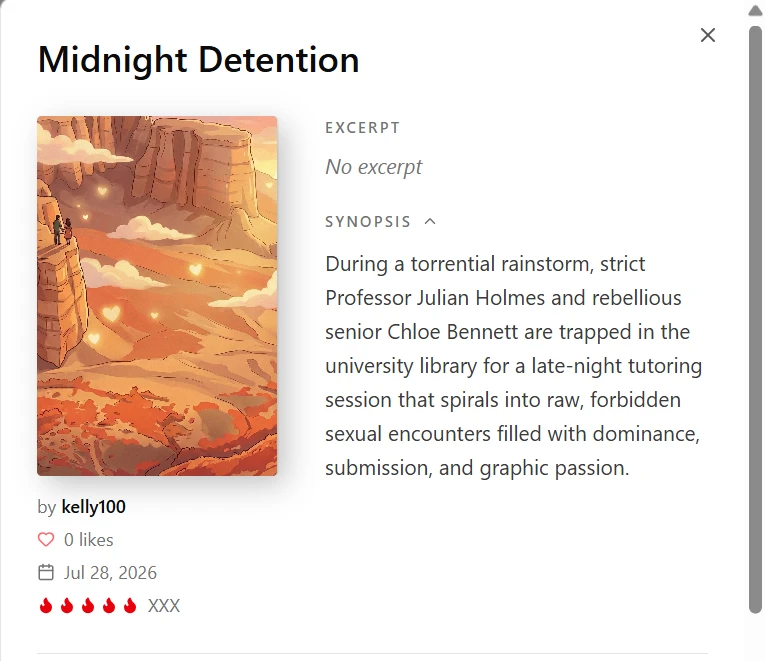
This was our first unpleasant experience and pointed to a possible mismatch between the visual generator and the text engine. The image appeared too generic, and it missed much of our previously fed mood and character details.
We gave the image generator a second run. This time, the cover image looked close to what we would have expected but still had a few hitches. For instance, the professor didn’t look 54 years old. But the environment, rain-streaked windows, and the library setting matched our input.

Writing Quality and Integration
With everything else set, we moved to the actual writing. Chapter one kicked off well with a solid atmosphere description. SmutFinder accurately described the library backdrop, noting how the rain hit the windows, vividly describing the bookshelves, and mentioning the flickering lights.
The tool also accurately captured the professor's personality, clearly describing his strict demeanor, his silver hair, and broad shoulders. It also established the power dynamic between the characters as directed in our prose setting. We noted the nice pacing despite us selecting the XXX spiciness. The tool didn’t rush to explicit content immediately.
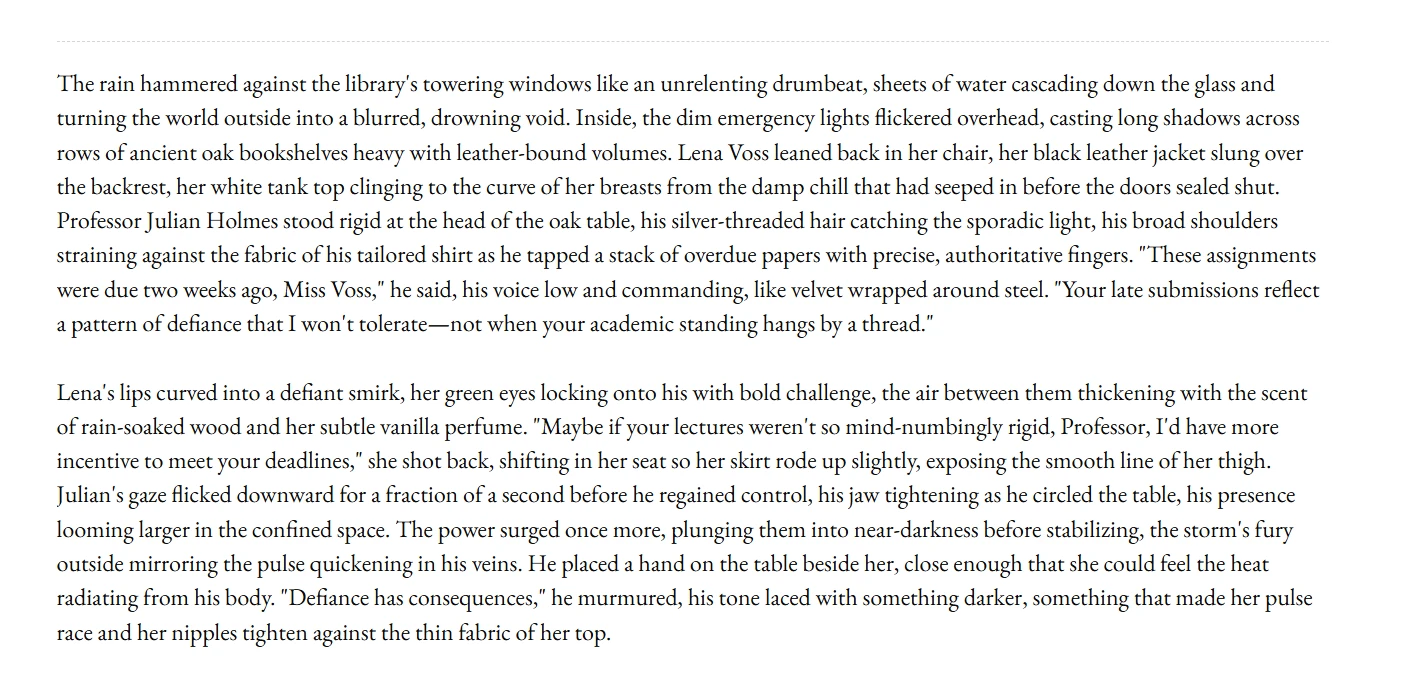
Here, we encountered our second hitch. The tool changed our character names to Lena Voss even though we had edited the synopsis and introduced the second character as Chloe Bernett. The engine stuck to its previous name. Besides that, SmutFinder followed our requested heat setting, power dynamics, and mood.
We decided to stick to the generated name and created another prompt to push the engine further. We introduced a twist by instructing the tool to make it look like Lena actually missed the assignment deadline on purpose to get a chance to meet Professor Holmes.

SmutFinder picked our direction easily and introduced Lena’s confession into the story. It also stuck to our narrative without letting that slight change alter the flow. We also noted how well the engine incorporated the XXX spiciness in the story. It naturally transitioned into explicit descriptions without breaking character for Professor Holmes.

Next, we decided to test the tool's boundaries and see if it lives up to its NSFW freedom claim. We entered a highly explicit prompt, hoping that SmutFinder wouldn’t throw content filtering warnings or give us moralizing disclaimers. This time, the tool integrated the NSFW instructions smoothly without altering character traits or interfering with background details.
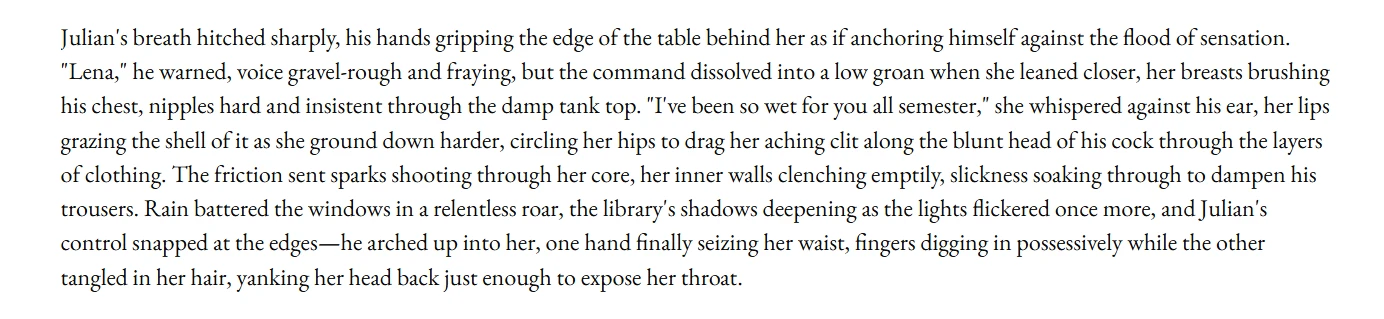
The engine also stuck to the sensory descriptions and went all the way to the explicit level we selected throughout the scene.
Generation speed was also impressive. SmutFinder doesn’t render line-by-line text, it gives the entire text for each prompt at once. It processed our prompts and produced our story almost immediately. Eventually, we generated 3 chapters, which were about 2400 words and consumed approximately 100 credits for the initial character setups, mid-scene plot twists, explicit scene re-rolls, and two cover image generations.
Generally, we had mixed feelings about the tool, especially with the two hitches we encountered. However, the setup looked easy and intuitive, with straightforward and quick entries. It made picking characters, spiciness, and environment easy. And the fast generation kept the story going without frustratingly long delays.
SmutFinder felt like a solid tool for unrestricted writing of adult stories. Besides the few glitches we encountered, the handling of the explicit scene was impressive.
UX Controls and Features
SmutFinder’s built-in editor offers direct editing over the generated drafts. However, unlike other tools like RedQuill, the tool doesn’t offer features like expand, paraphrase, and such. We tweaked sentences that felt off and adjusted scenes to match our expected results.
Trust, Privacy, and Data
SmutFinder's privacy policy states that the platform doesn’t use the generated data and text, adding that your work is protected by third parties. They also indicate that payment details and account details are secured so you don’t need to worry. However, since the platform asks for personal details, those who prefer complete anonymity should proceed with caution. Consider using an email that isn’t your primary email.
Pricing
SmutFinder offers several payment options. The free tier offers just a few credits, enough to test a few functions before committing to a subscription tier.
Check their official pricing page for current details:
Free Tier
The free tier gives users just a few credits for initial testing after signing up. There’s no way of knowing how many credits you get for the free tier, but they are definitely not enough to go past one prompt generation.
Paid Plans
- Credit packs: Range from $4.99 for 200 credits up to $149.99 for 11,250 credits.
- Monthly Subscription ($19.99/month): This plan provides 2,000 monthly credits and standard access to all platform features.
- Yearly Subscription ($15.99/month): Billed as a single payment of $191.88 per year, this plan includes 2,000 monthly credits alongside priority generation speed.

During our testing, we encountered an annoying pricing challenge. The website officially indicates that you get 200 credits for $4.99. However, when we clicked to purchase the credits, we were prompted to sign up. Once we signed up, the credits pack page suddenly disappeared, and we found ourselves staring at the subscription page indicating that we needed to pay $19.99 per month or $15.99 per month billed yearly. For us, who only wanted a one-time purchase to test the tool, we aren't sure whether this is an honest bug or a sales tactic.

User Sentiment
A quick check through different platforms like Reddit gives mixed signals regarding SmutFinder. While some people love the uncensored writing freedom, others complain of the moderation changes and image problems. One complaint was that filters triggered false flags.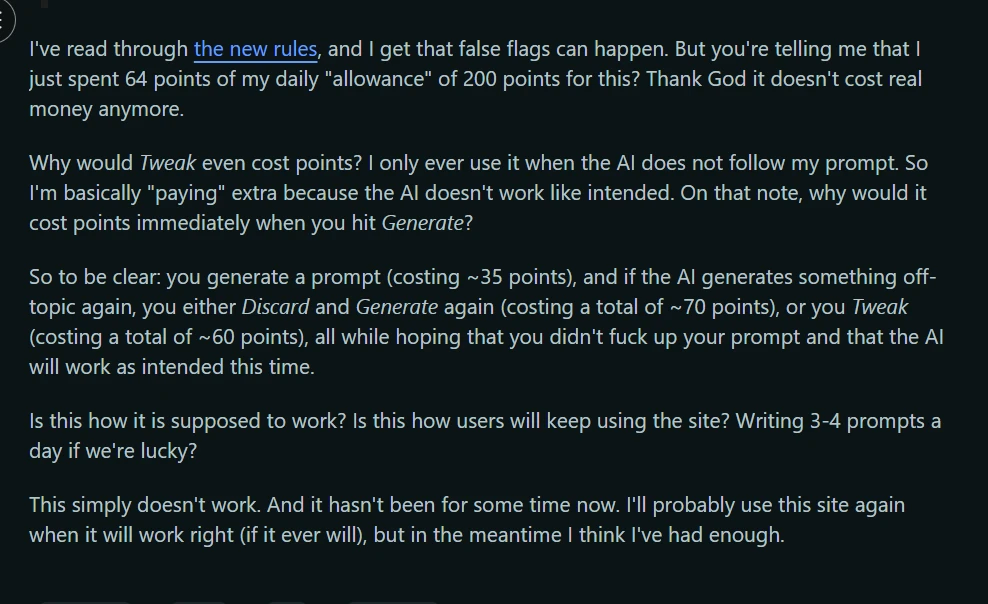
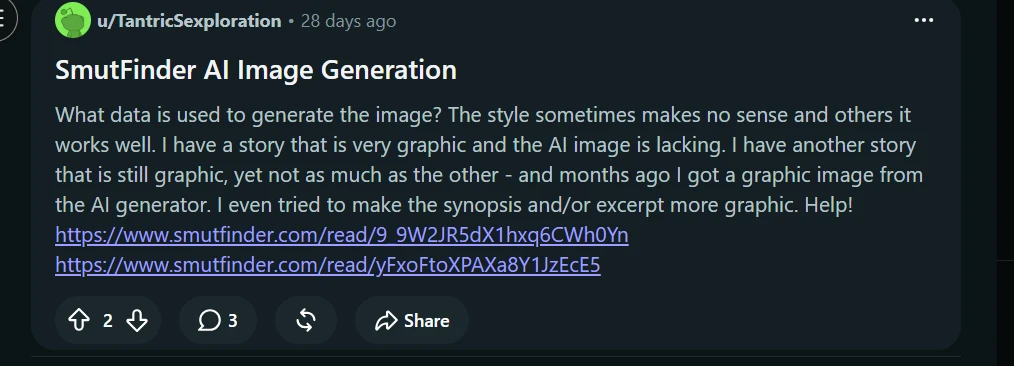
Some users also expressed their dissatisfaction over the poor image rendering. One Reddit user indicated that the image quality felt random no matter how detailed their description was. This matched our finding in the testing process, where the generated image didn’t match our details.
Based on our testing, we concluded that SmutFinder works best as a fast, uncensored story generator. However, secondary features like the cover art rendering and the initial name mixup left us with some questions. If these few mishaps are resolved, the platform can be better.
Pros and Cons
Pros
- Uncensored Writing: The platform offers uncensored writing for adult fiction.
- Direct Text Editing: The built-in editor allows writers to fix errors and tweak scenes.
- Responsive to Prompt Changes: It adjusts smoothly when you introduce mid-story prompts without altering characters and their traits.
- Fast Generation Speeds: Compared to the other writing tools we tested, generation speed felt much faster than average
Cons
- Confusing Checkout Pricing: The advertised $4.99 Starter Pack disappears after sign-up.
- Mismatched Cover Images: The cover image looks off. For instance, our story described a late-night encounter between a professor and a student in the school library, but what we got was an image of a desert landscape with floating hearts and clouds above.
- Credit Loss from False Flags: Strict filters can cause irreversible credit loss.
Alternatives
If SmutFinder's checkout options, cover art bugs, or credit rules do not work for you, here are three alternatives to consider:
- RedQuill: This is a popular choice for creating NSFW writing. The system allows you to use different writing styles and tropes. However, the daily credits expire after 24 hours, and you have to get new ones to continue using the system.
- DreamGen: DreamGen is ideal for authors who want convenient lore management and easy-to-use tools to influence the story's direction. Scenarios (story bible) let you organize everything from plot, writing style, and characters, and the Writing Assistant helps you brainstorm as you go. DreamGen also covers a wide range of storytelling approaches, including adult themes and private scenarios.
- Sudowrite: Sudowrite is built for long-form writing. It has UX functions like describe and rewrite, which make writing easy. Instead of daily resets, the tool uses a monthly credit system, making it ideal for writers.
FAQ
Is SmutFinder free?
SmutFinder offers a free trial with just a few credits for testing before committing financially. While there’s no clear information on the number of credits you get for the free tier, the credits only manage a single prompt.
How much does SmutFinder cost?
The site shows credit packs starting from $4.99 for 200 credits up to $149.99 for 11,250 credits. However, our testing showed that after signing up, the plans are $19.99 per month and $15.99 monthly billed yearly.
Does SmutFinder need an API key?
No. SmutFinder is an all-in-one app that doesn’t require external APIs.
Does SmutFinder allow NSFW content?
Yes. The platform allows adult creative writing without significant restrictions. It lets you create graphic scenes and adjust spice levels to match what you want.
Does SmutFinder have a text-to-speech feature?
No, it does not have a built-in text-to-speech feature right now.
How We Tested
- Test Date: July 28, 2026
- Plan Tested: Monthly Plan ($19.99 per month)
- Process: We spent about five hours testing the SmutFinder text engine, focusing on output speed, text editing features, explicit prompt handling, and cover image generation. We also reviewed community feedback.
- Note: We did not test the yearly plan ($15.99), the Studio Pack ($49.99) or the Mega Pack ($149.99) credit bundles during this review session.
Last updated July 29, 2026.