· 13 min read
Sudowrite AI Review: Pricing, Features, Writing Quality & Verdict
Our hands-on Sudowrite review breaks down writing quality, story bible, features and pricing. We also features like Brainstorming and Image Generation
Quick Verdict
Sudowrite is a web-based AI writing platform designed specifically for fiction and creative writing. The platform offers authors tools for brainstorming, story outlines, and long-form storytelling.
- Best for: Creative writers and users who want to use AI to build and expand their stories.
- Not ideal for: Users who want to write non-fiction such as self-help books, cookbooks, how-to guides, or academic papers.
- Standout strength: A dedicated Story Bible feature with tools for brainstorming, outline generation, synopsis, and extensive character creation tools.
- Main tradeoff: High credit consumption and lack of a paid tier with unlimited credits. The platform relies heavily on credits to perform every single task, including brainstorming, rewriting, and creating characters. This means that users burn through credits pretty quickly.
At a Glance
Free tier | No free tier, but a limited free trial is available. |
Premium tiers | Range from $19-$59/month, and each plan comes with credits. Discounts are available for an annual plan (see Pricing section for more) |
Platforms | |
Community | Discord (~16,800 members) and X (Twitter) (~4,300 followers) |
NSFW | Allows NSFW content through the Muse 1.5 model. |
Memory | Inconsistent even when using the Story Bible. |
Image generation | Available, and each image generation needs 2,500 credits. |
What Is Sudowrite?
Sudowrite is an AI creative writing platform designed for users who love writing fiction and screenplays. It allows users to create stories from scratch, or upload a manuscript and refine it using AI.
The platform is built by Sudowrite LLC, and it uses a monthly credit system where each action costs a certain number of credits.
Our Writing Experience with Sudowrite
To get a hands-on feel of Sudowrite, we spent about five hours testing the platform, and as major Game of Thrones fans, we couldn’t resist creating a fan-fiction story set in that universe that we called Blood of the Last Dragon.
The story is set a year after the fall of the Dragon Queen, Daenerys Targaryen. Presently, King Bran the Broken sits on the Iron Throne as Westeros struggles to recover from the war’s aftermath.
All the noble houses are weak, and in the North, whispers of a new Targaryen heir threatens the kingdom’s stability. King Bran faces pressure from his council to handle the rising threat, while the Queen of the North, Sansa Stark, allies with the alleged heir, Alys Karstark.
Although our story wasn’t as awesome as Game of Thrones, it was still pretty interesting to come up with one that blended political drama, power plays, and betrayals. Plus, we figured it couldn't possibly be worse than the last season.
Our custom story allowed us to test the following:
- The story creation workflow
- Character creation
- Scene development
- Writing quality
- Memory retention using the Story Bible feature
- How fast does the AI respond
- The image features
Our Custom Story: Blood of The Last Dragon
When building our custom story, we decided to take a deep dive into one of Sudowrite’s well-known features: the Story Bible.
Basically, the Story Bible is a structured system that helps writers break down their story into key components such as ideas, synopsis, characters, and an outline.
In the next sections, we’ll explore the main features of the Story Bible and how they contributed to shaping Blood of the Last Dragon.
Brain Dump
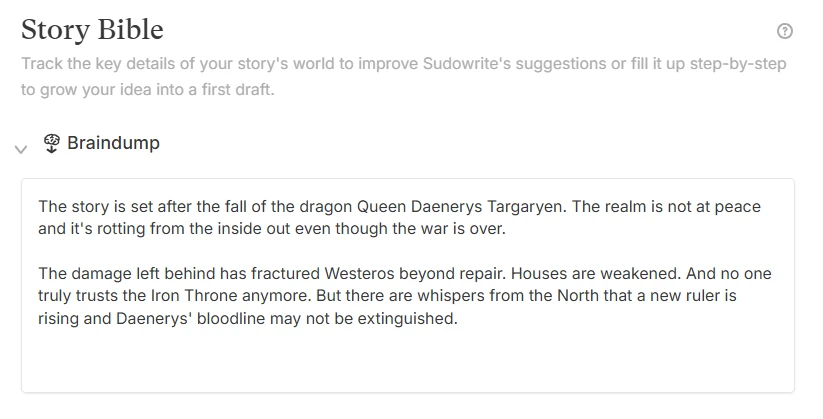
This tool lets you freely write any random idea you have about your story without worrying about structure or formatting. Since getting started is where most writers get stuck, the tool made things feel a lot less overwhelming for us. We used it to write down ideas like:
- The story is set after the fall of the dragon Queen Daenerys Targaryen. The realm is not at peace, and it's rotting from the inside out even though the war is over.
- The damage left behind has fractured Westeros beyond repair. Houses are weakened. And no one truly trusts the Iron Throne anymore.
- There are whispers from the North that a new ruler is rising, and Daenerys' bloodline may not be extinguished.
Synopsis Generation
After braindumping our ideas, we moved on to the Synopsis Generation tool. This feature is designed to transform the ideas in the brain dump section into a clear, structured summary of your story.
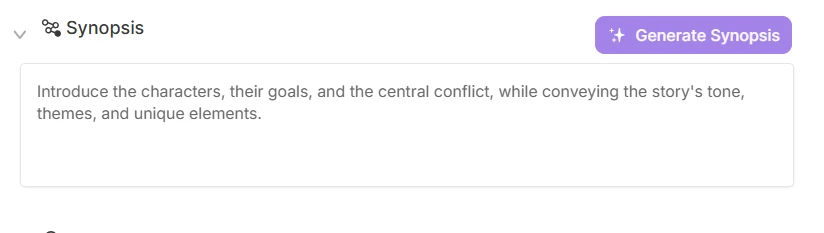
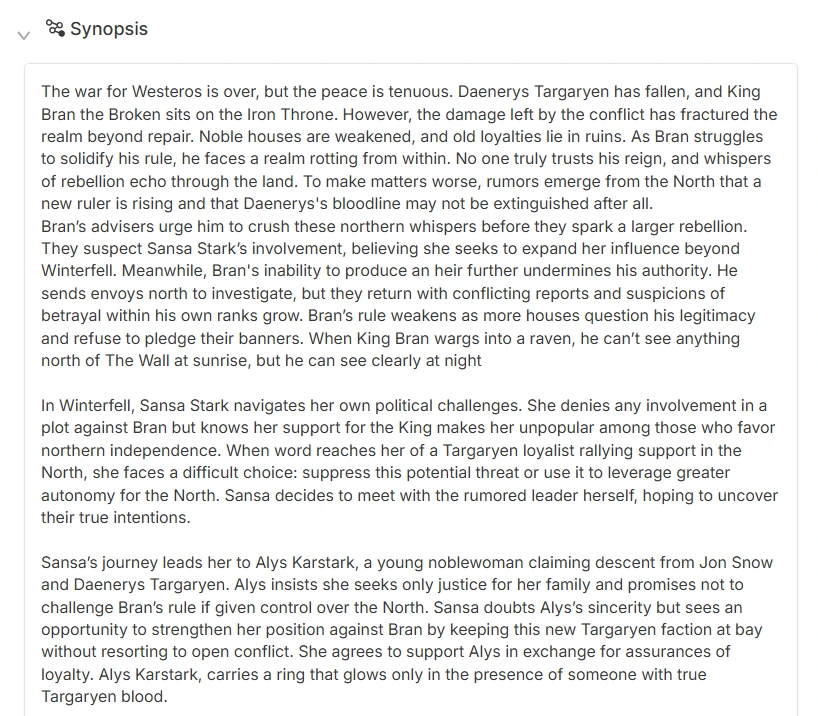
For our custom story, the AI produced a synopsis that included key elements, such as:
- King Bran’s failure to maintain control over Westeros
- Tensions between King’s Landing and the North
- Sansa’s strategic alliance with a new Targaryen heir, Alys Karstark
- Political instability and mistrust
Characters
After generating our story synopsis, we moved on to explore the character creation tool.
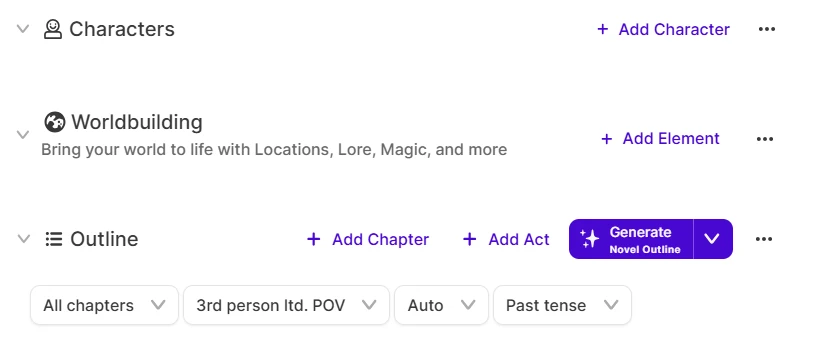
We were pleasantly surprised by how extensive Sudowrite’s character creation tool is. With this feature, we were able to define the following for each character of our story:
- Pronouns and other names
- Personality
- Motivation
- Internal conflict
- Strengths
- Weaknesses
- Character arcs
- Physical description
- Dialogue style
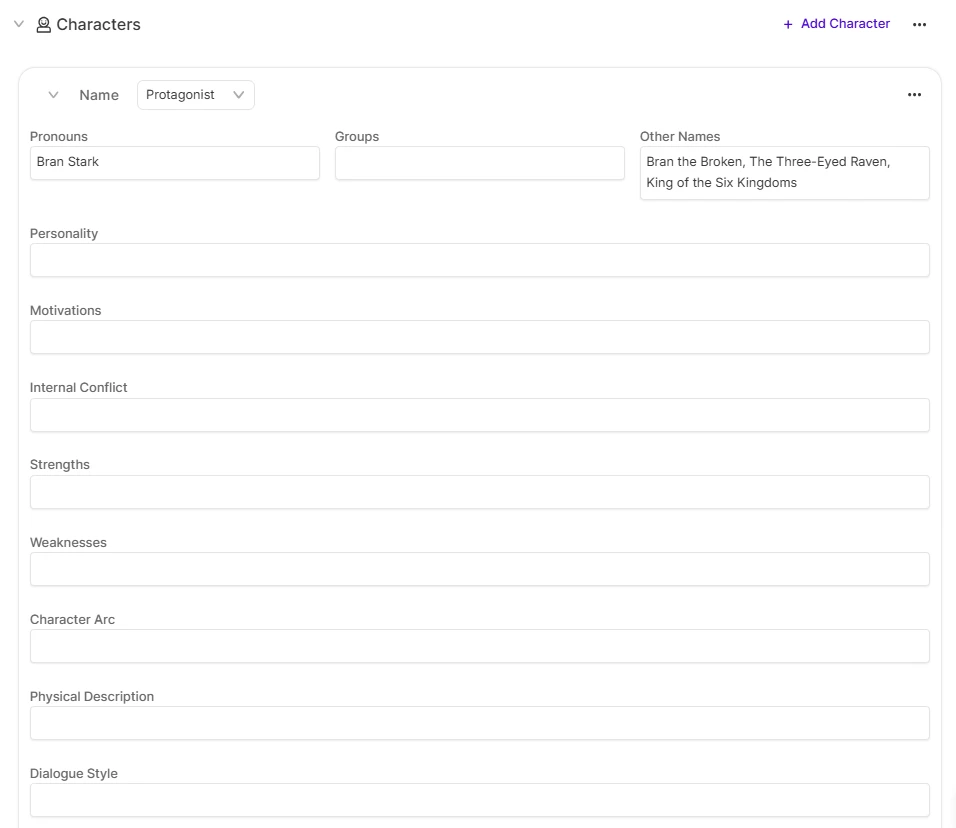
We also assigned different roles to each character, such as antagonist, protagonist, and supporting.
Outline Generation
With our characters, synopsis, and writing style in place, we moved on to generating a story outline. Sudowrite offers several templates tailored to different types of writing, so we chose the novel outline template because it’s ideal for long stories and helps organize themes and tropes.
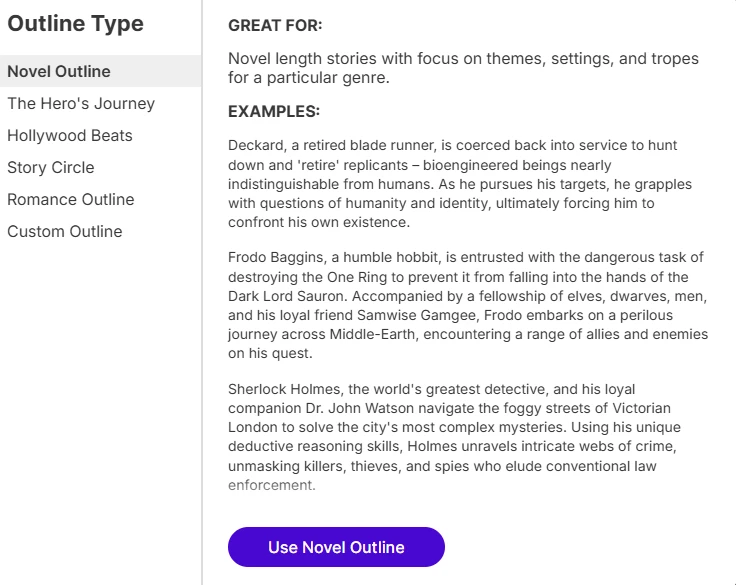
We also noticed that before generating the outline, you can choose the point of view and whether to write in past, present, or future tense. For our Blood of the Last Dragon story, we went with the past tense for a more traditional and immersive storytelling style
Worldbuilding
The worldbuilding section served as our foundation for testing Sudowrite’s memory and consistency.
We planted a specific detail. When King Bran wargs into a raven (wargs means entering the mind of an animal and seeing through its eyes), he can’t see anything north of The Wall at sunrise, but he can see clearly at night.
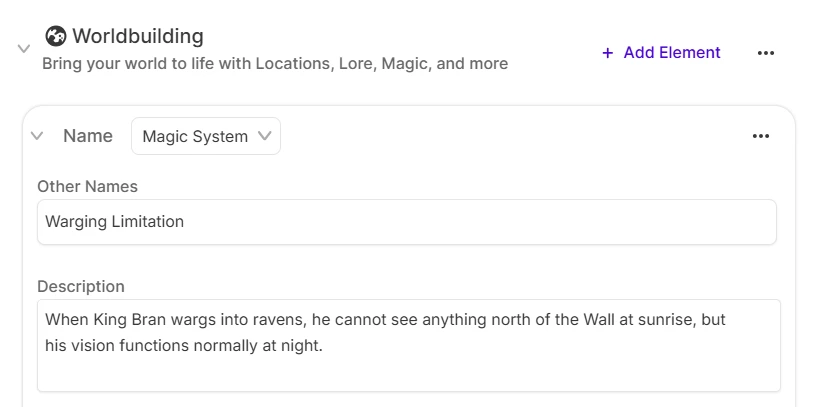
Later, we would test whether the AI would reference this detail in the story.
Other Features We Explored
Brainstorm
In Sudowrite, the Brainstorm feature helps writers generate ideas when they’re stuck or facing writer’s block.
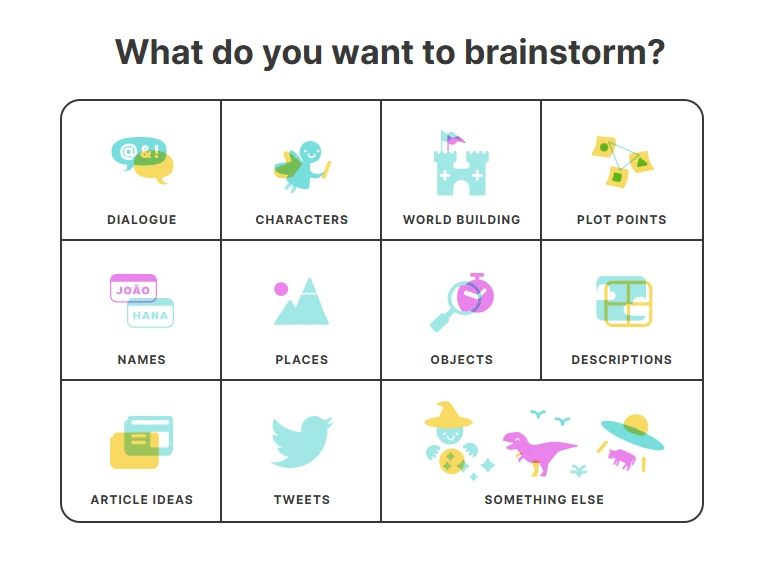
To test this feature, we asked the AI to generate dialogue lines for King Bran as he summons the Queen in the North, Sansa Stark, to King’s Landing. We added more context, explaining that a raven had arrived with news of Sansa forming an alliance with the traitor and alleged heir to the throne.
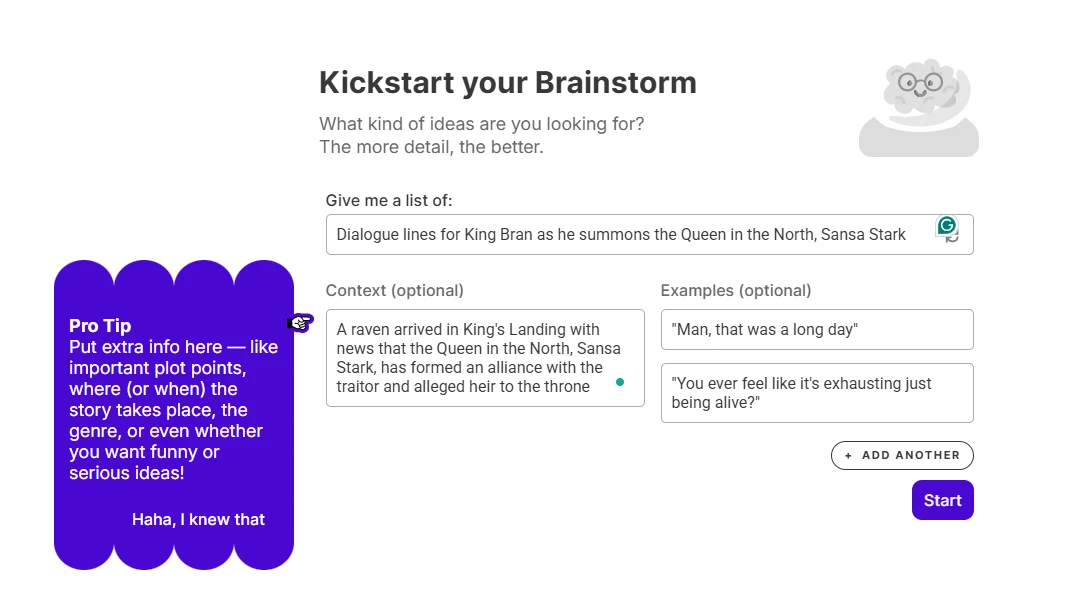
After providing the context, we were eager to see how the AI would handle the dialogue and if the characters would stick to their descriptions. However, the results were somewhat disappointing. Some of the generated dialogue options did not align with the personality of King Bran Stark.
Based on our Story Bible, we described Bran as calm, distant, and analytical. However, some suggestions, such as ‘The realm bleeds while you plot with those who would see us return to the days of fire and blood. Explain yourself!’ felt overly aggressive and emotional.
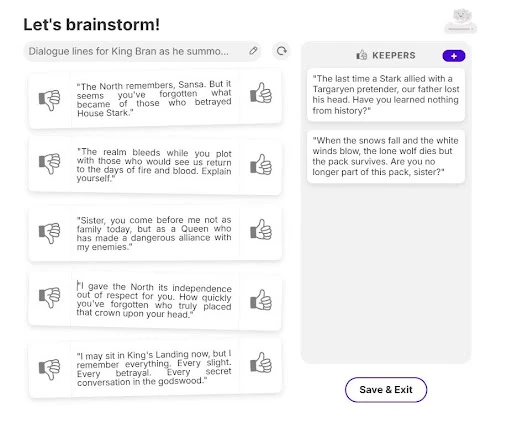
Plus, the AI seemed to overlook the fact that Sansa Stark is his sister, making the tone of confrontation feel even more out of place. That said, we reviewed the suggestions and selected those that matched the tone of our story.
Image Generation
To test Sudowrite’s image generation feature, we instructed the AI to create a picture of King Bran Stark, seated on the Iron Throne, warging into a raven.
The image captured Brandon’s appearance from Game of Thrones, including his iconic white eyes, however there were several inaccuracies.

For example, his sister, Sansa Stark, the Queen in the North, was standing next to him even though in the story, she had not yet been summoned to King’s Landing.
Additionally, King Bran wasn’t wearing his crown, and he wasn’t sitting on the infamous Iron Throne but a much less prominent white chair.
We were quite disappointed with the outcome, especially since the image used up 2,500 credits, and if we wanted to fine-tune it, we would have to spend another 2,500 credits.
Memory Testing
As we mentioned earlier, we tested Sudowrite’s memory by planting this detail in the worldbuilding section:
When King Bran wargs into a raven, he can’t see anything north of The Wall at sunrise, but he can see clearly at night.
Since Sudowrite doesn’t support direct prompt generation, we had to start the sentence manually. We wrote: “Back in King’s Landing, King Bran warged into a raven. As the raven crossed the Wall at sunrise, Bran’s vision changed…”

We then used the Write feature to continue the scene, expecting to get a description of King Bran’s impaired vision beyond the Wall at sunrise. However, the AI generated a paragraph in which Bran could see clearly, despite the planted detail that his warging ability is limited at sunrise.
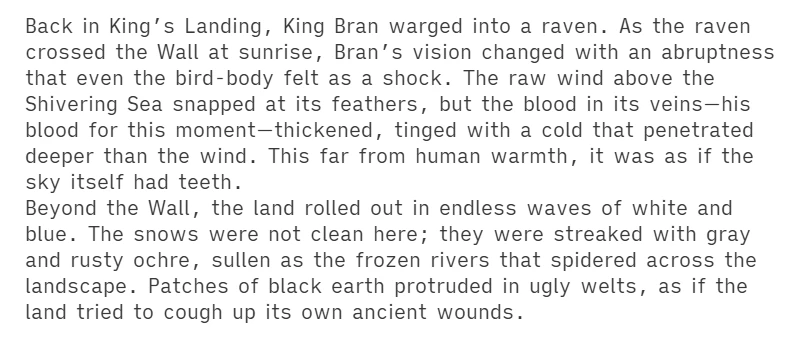
This came as a surprise, since we were confident that the Story Bible would help the AI remember the details — kind of the point of it, we thought. This shows that even if you put important information in the worldbuilding section, Sudowrite doesn’t always use it when writing the story. If you want the AI to follow a rule, you have to remind it in the text itself, instead of just trusting the Story Bible to do it consistently.
UX Controls and Features
Sudowrite’s UX features are quite extensive and well-suited for fiction writing. Some of the notable features include:
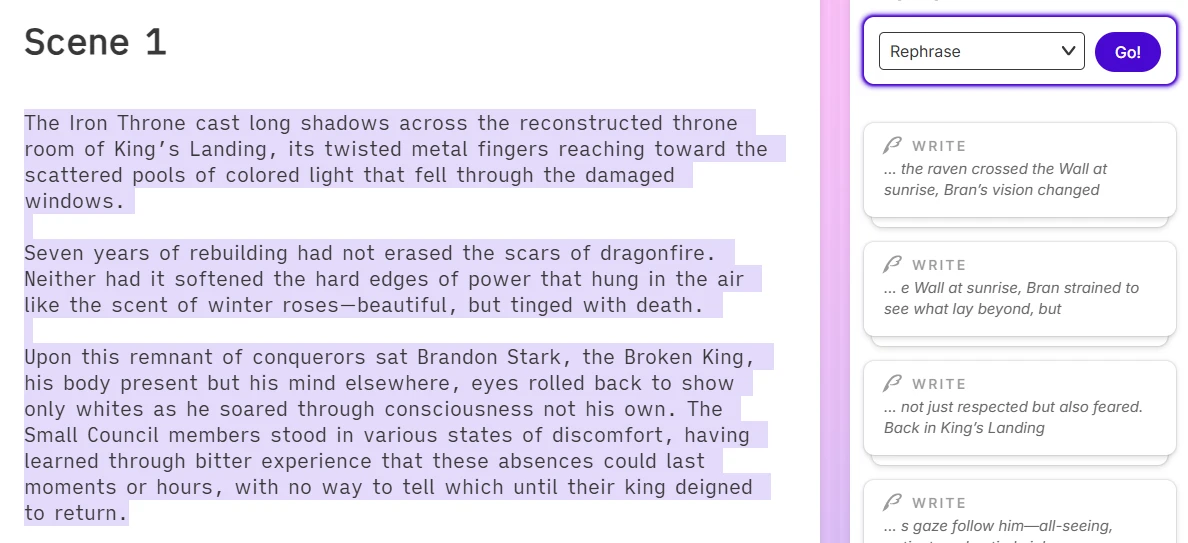
Rewrite
This feature allows you to edit the AI-generated text by:
- Rephrasing it
- Making the text shorter
- Making the text more descriptive
- Using show, not tell to immerse your readers
- Creating more inner conflict
- Making the section more intense
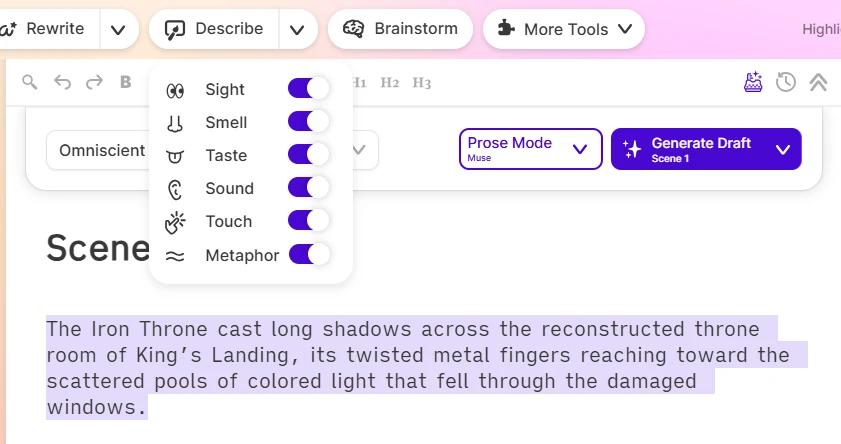
Describe
If you have trouble creating memorable scenes, the describe feature can help you add depth and vivid description to your story. It works by expanding a text or paragraph and describing the scene using all five senses and a couple of metaphors. While this can be helpful, it doesn’t always strike the right balance and can sometimes generate descriptions that feel overly dramatic or unrealistic, so you’ll probably need to adjust the texts to match your style.
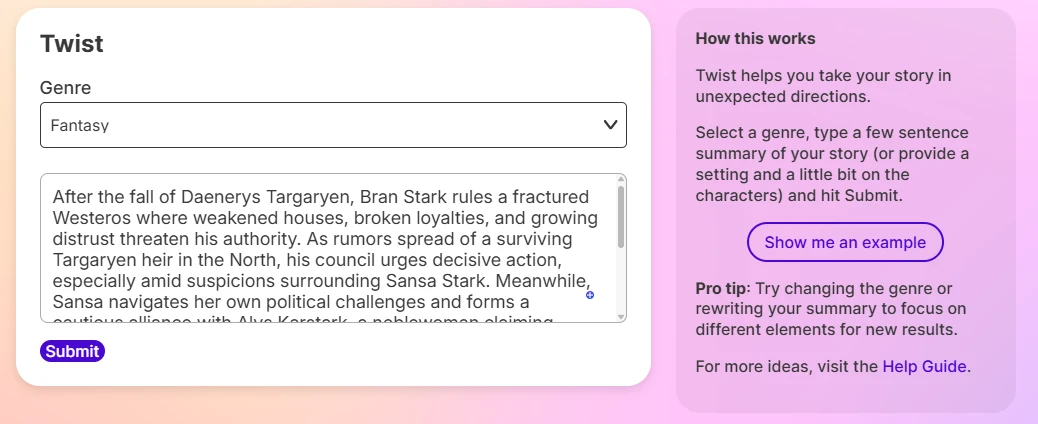
Twist Feature
The twist feature helps you come up with a good plot twist for your story. All you need to do is give a summary of your story, and the AI generates possible plot twists for you.
Trust, Privacy, and Data
According to Sudowrite’s privacy policy, the platform may collect user data necessary to operate and improve its services. This includes device information, browser type, IP address, and personal information such as names and account details.
The privacy policy further states that Sudowrite may share user information with third-party service providers who help to run the platform.
Users can also freely delete their accounts in the mobile app or on the web, and their personal information is removed in accordance with the platform’s data retention policies.
While data privacy is important, another key question for writers is ownership and monetization. According to the platform, anything you create using its tools remains your intellectual property since the output is based on your input and creative direction. However, since AI is still involved in the writing process, this can be a bit of a grey area, especially for heavily AI-generated work, so it’s something to keep in mind if you plan to publish and monetize your work.
As of April 5th, 2026, there are no publicly recorded data breaches or major security incidents associated with Sudowrite.
Pricing
Free Tier:
- Not included: However, new users get access to a free trial that comes with 10,000 credits.
Paid Tiers:
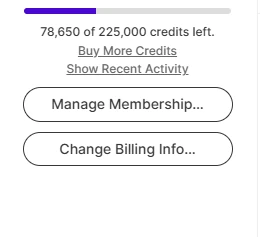
- Hobby & Student: $19/month (paid monthly) or $10/month (paid annually)-This plan unlocks 225,000 credits per month, and it’s best for users who write for fun. If you don’t finish your credits, they don’t roll over to the next month, and you’ll have to get another subscription. To test the platform, we used about ~145,000 credits and remained with about ~79,000.
- Professional: $29/month (paid monthly) or $22/month (paid annually)-This plan includes 1,000,000 credits per month. Just like the Hobby & Student plan, the unused monthly credits don’t roll over to the next month.
- Max: $59/month (paid monthly) or $44/month (paid annually)- The plan unlocks 2,000,000 credits per month, and you can use your unused monthly credits for up to 12 months.
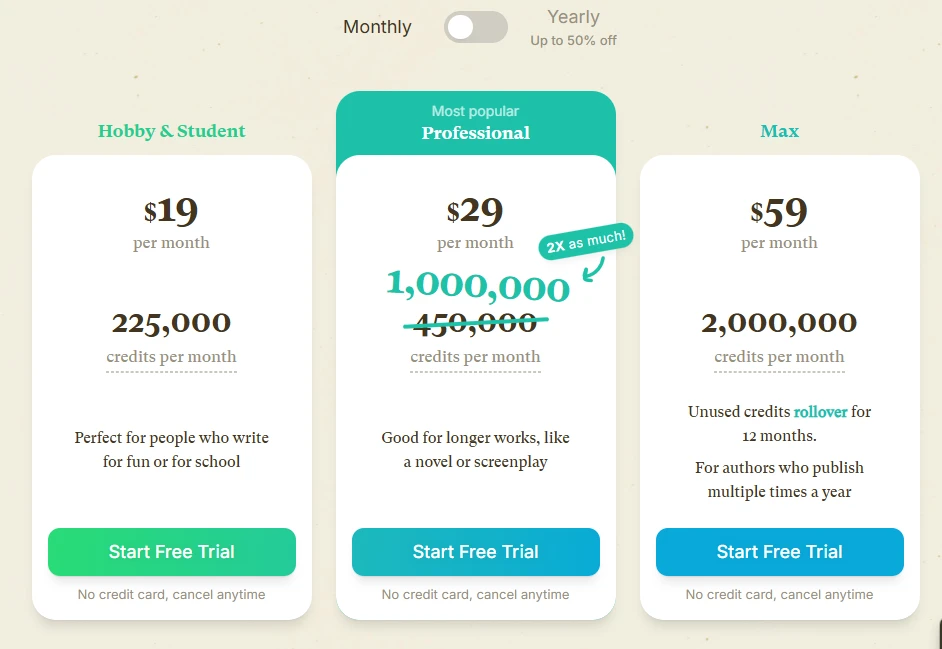
It was also quite interesting to see that Sudowrite doesn’t have a paid tier with unlimited credits. This means that even if you pay for the Max subscription, you’re constantly in a state of credit anxiety, wondering when you’ll get that dreadful message that you’re out of credits. This greatly limits users who join the platform, hoping to write a full book using the platform’s features, especially when the platform makes mistakes, fixing them can easily cost you a few thousand more credits, which is exactly what we experienced with the image generation feature.
User Sentiment
Although Sudowrite doesn’t have a dedicated Reddit page, it has an active community on Discord where users regularly share their experiences with the platform.
Community members praise the platform for its Muse model, which is designed for creative writing, and the Story Bible feature, which tracks characters and world rules.

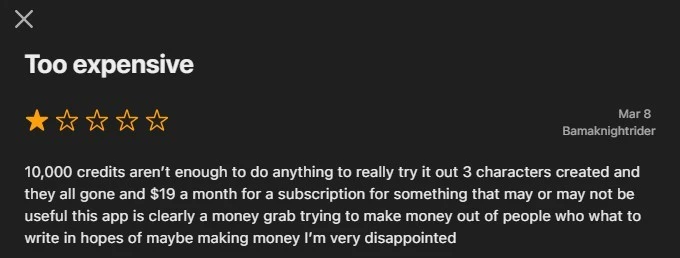
However, while going through the reviews, we noticed that several users reported issues similar to those we encountered during testing. One of the most common complaints was the high credit consumption on Sudowrite. Users pointed out that the platform should provide a free tier, and the 10,000 credits offered during the trial are only enough to create about three characters before running out.
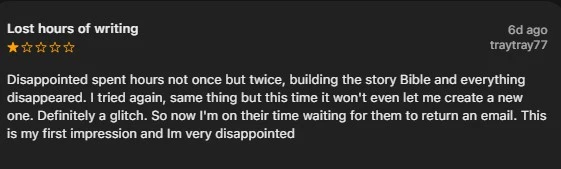
Users also highlighted technical issues such as random crashes, slow loading times, and occasional loss of story progress, which can be frustrating when working on longer projects.
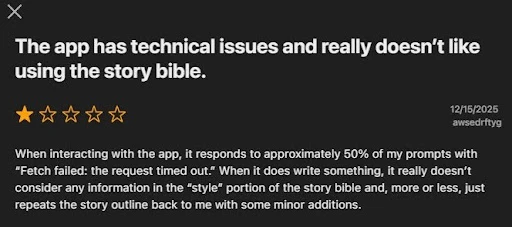
Overall, while Sudowrite is well known for its ease of use and creative tools, the community feedback suggests it may be better suited for writers who are comfortable working within a credit-based system and who don’t mind occasional technical hiccups.
Pros and Cons
Pros
- Clean and beginner-friendly user interface
- Uses models like Muse 1.5 that are designed for high-quality fiction writing
- Advanced Story Bible, where users can braindump, create characters, and use worldbuilding tools.
- Flexible writing where users can change any part of their story
- Image generation that helps writers visualize their stories.
Cons
- Limited to only English
- No free tier
- No output format like PDF, so to publish your book, you need to copy-paste it into another tool.
- The platform doesn’t have a built-in book cover AI generator, meaning you’ll need to use a separate tool to create a cover for your final book.
- No paid tier with unlimited credits
- Memory inconsistencies, even if you use the Story Bible feature
- No audio book generation or text-to-speech
Alternatives
If Sudowrite’s high credit usage, fiction-only focus, and lack of text-to-speech support are deal breakers for you, here are three alternatives that you can consider:
- Jasper AI: Best for users who want to explore non-fiction writing. Jasper AI offers templates for blog posts and marketing copy. The platform also integrates SEO tools, and users can export their files.
- DreamGen: Best for users who want flexible AI storytelling and role-play. It includes Story Mode, Role-Play Mode, and detailed scenario tools for managing plot, setting, characters, and lore.
- NovelAI: Best for authors who want to write mature NSFW content that won’t get flagged with soft filters. It also offers paid tiers with unlimited text generations.
FAQ
Is Sudowrite free?
No, Sudowrite doesn’t have a free tier, but it offers users a free trial.
- The Free trial comes with 10,000 credits
- No credit card is needed during sign-in
- The Hobby & Student plan($19/month) unlocks 225,000 credits per month.
- The Professional plan ($29/month) comes with 1,000,000 credits per month.
- The Max plan ($59/month) includes 2,000,000 credits per month, and you can carry over your unused monthly credits for up to 12 months.
Can you write a full novel with Sudowrite?
Yes, Sudowrite is designed for fiction writing and can help you write a full novel.
- You can import a manuscript or start your novel from scratch on Sudowrite
- You can use tools like Brain Dump and Story Bible to create an outline and draft your novel
- There’s no unlimited credits plan, so long projects may require you to pay for extra credits or upgrade to a tier with more credits.
Does Sudowrite allow NSFW content?
Yes, Sudowrite supports mature and NSFW writing.
- The platform allows explicit and NSFW content, including mature sex scenes, graphic violence, and horror through the Muse model.
- The muse model is an unfiltered, fiction-trained model for novel-length writing. Some models, such as Cloaude and GPT-4o, may apply soft filters around explicit sexual content or sensitive themes
How We Tested
Test date: 2026-04-03
Plan tested: Hobby & Student plan ($19/month)
We tested Sudowrite for about five hours, where we:
- Created one custom story (Blood of the Last Dragon)
- Conducted memory retention testing by planting details in the Story Bible
- Reviewed character creation tools using the Story Bible
- Reviewed Apple Store reviews
- Reviewed the privacy policy documentation
Note: We did not test the Professional plan ($29/month) and Max plan ($59/month)