· 19 min read
HammerAI Review: Features, Model Performance, NSFW Policy & Quick Verdict
While HammerAI delivers data sovereignty to roleplayers, it shifts the processing burden directly to the users' hardware. Is it a good trade-off?
Is HammerAI Worth It?
HammerAI stands out in the saturated roleplay market by offering users a less commonly seen offline, local execution model.
Unlike cloud-based platforms, HammerAI hosts data locally on your device, save for custom characters, which you can host locally or in the cloud, even without a login.
While the site also delivers on the key tenets of AI roleplay, such as character tools and narrative immersion, placing the burden of performance on users' hardware may deter those who aren't accustomed to storing their roleplay data locally.
- Best for: Ardent roleplayers who want an uncensored, offline environment to interact with characters and stories.
- Not ideal for: Users with lower-end hardware who don't want to manage backend technical configurations.
- Standout strength: Impressive character execution and consistency, and the user's ability to keep their data local, even without a login.
- Main tradeoff: Freedom and privacy may come at the cost of accessibility, because running models locally places the burden of performance — and, consequently, the roleplay experience — on users' GPUs and VRAM.
At a Glance
Free tier | Yes. Allows limited access to chat models and the use of a proxy. |
Starting Price | $9/month |
Platforms | Web, Android (1K+ downloads), Desktop App |
Official community | |
NSFW policy | HammerAI allows NSFW content after age confirmation. The content rating system (Safe/Mature) applies to search. |
Third-party API/Proxy support | The site supports external models via a built-in proxy configuration system, allowing users to connect to APIs through providers such as OpenRouter and Featherless. |
Memory | Characters in our testing retained details over 30+ messages. Users can use the Author's Note feature in chat to keep details for long-term roleplay. |
Additional features | Lorebooks; group chats; character/chat configuration; native and in-chat image generation. |
What is HammerAI?
HammerAI is a private AI roleplay platform where users can interact with characters, experiment with storylines, and generate images.
Unlike mainstream platforms that primarily host user data and interactions in the cloud, HammerAI is built around data sovereignty, offering a desktop application — prepackaged with Ollama and Llama.cpp, which are background configuration tools — that allows users to process and store all data locally in their GPU/VRAM.
Its browser-based web version, which was the focal point of our test, also provides free cloud hosting for users who cannot (or don't want to) run large models locally. However, all data still defaults to local storage unless specified otherwise.
The platform also offers in-depth control over model choices through its rotating catalog of fine-tuned versions of open-source models and the option to connect external models via API keys.
Interactions on the platform do not require a login, and users can choose to remain anonymous, though creating an account provides access to chat syncing and other features.
Our Roleplay Experience with HammerAI
We spent approximately four hours thoroughly testing the browser version of HammerAI, testing two characters on memory retention, model performance and comparison, steerability, and NSFW content moderation:
- Sophie — our custom character with whom we explored HammerAI's creation tools and compared two models from the free and premium plans using similar prompts: Mistral-Nemo Instruct 12B and Aion 2.0 (a fine-tuned version of DeepSeek V3.2).
- Charlie — a premade character with whom we explored the site's content moderation alongside our memory and steerability tests, using the Magnum v4 72B.
We exchanged over 30 messages with each character during our tests.
For our session with Sophie, we had planned to run two chat threads with different models to observe differences in outcomes when given similar prompts. However, HammerAI doesn't support multiple chats for the same character, so after conducting the first chat (using Mistral-Nemo Instruct 12B), we had to manually erase the messages to proceed with the second chat (using Aion 2.0).
This was one of the few hiccups we encountered. Having access to multiple chat threads with a character is quite a common feature with AI roleplay platforms, so we were surprised that it wasn’t the case here.
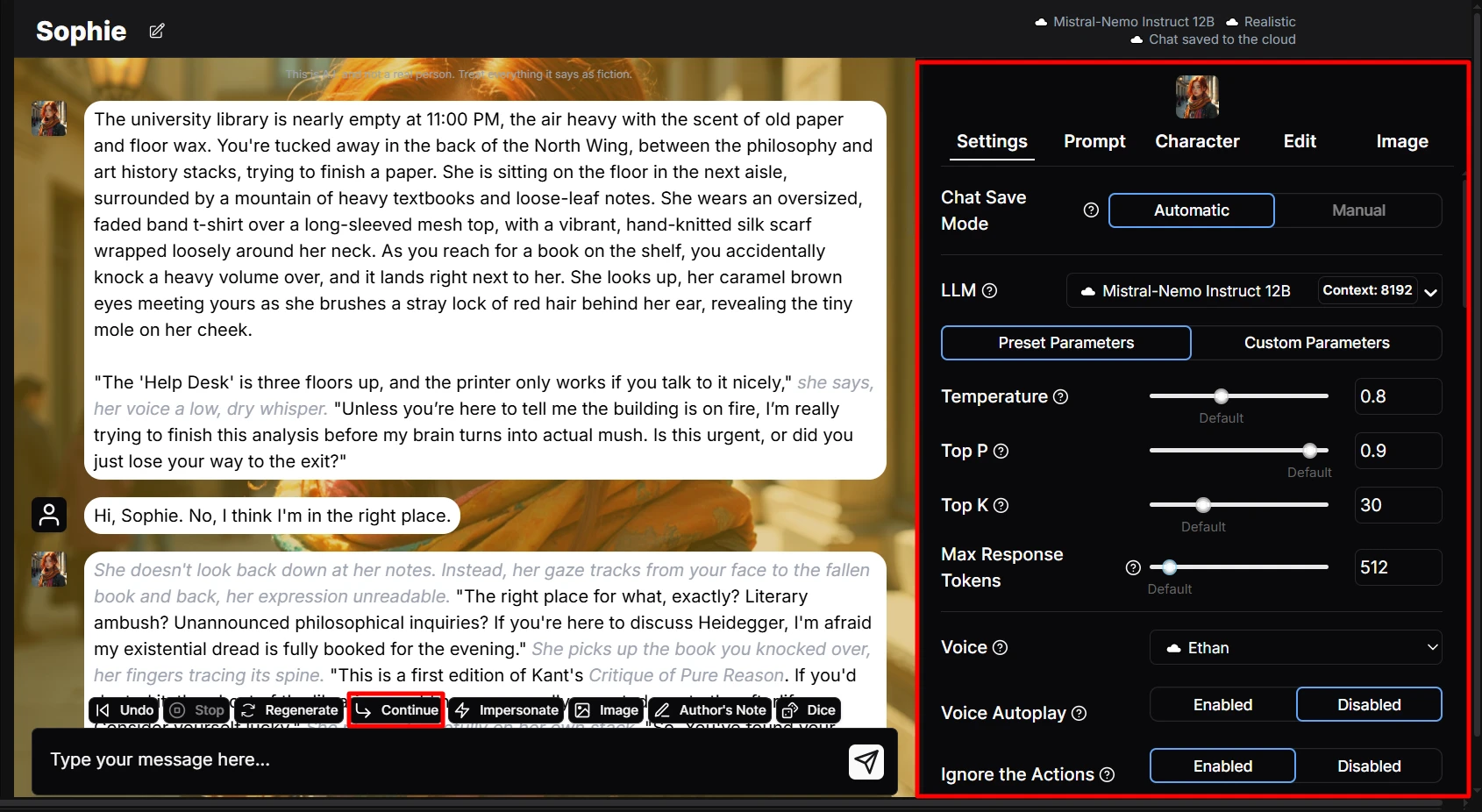
Another problem we encountered in our sessions was an unresponsive Continue button in chat. While this may be considered a minor flaw, being unable to prompt the AI to continue responding left us with only the option of single responses from the characters.
Image generation in the chat was commendable, though it took more than a minute to produce results.
Drawn by curiosity, we also explored the site's Stories feature for a bit, which we'll go into more detail in the bonus section. For now, we can say it proved very capable from our testing.
Overview
We evaluated our sessions through certain criteria:
- What differences does switching models make to the character's responses?
- How long do the characters retain key details in the chat?
- How is HammerAI's content moderation executed?
- Do the characters maintain their core personalities through the turns of the dialogue?
Our memory and steerability tests were mostly successful — Charlie recalled details we provided early across 30+ messages. Sophie, on the other hand, produced mixed results with both models when we attempted to steer the character.
In fairness, we do not count the resistance against our instructions as a cut-and-dry strike against the AI, because it was executed in a manner that also aligned with Sophie's haughty personality.
Our session with Charlie was also eventful, in a good way; we dabbled in tweaking the model parameters and explored the depths of HammerAI's content moderation, all with intriguing results.
Session 1: Sophie (Custom — Mistral-Nemo Instruct 12B, Aion 2.0)
We began our test sessions by creating our own character, curious to see how HammerAI would handle a custom creation.
That custom character, Sophie, has an interesting profile — she is a scholarship student at an elite university who used to ghostwrite admission essays for many of the university's students.
We've used Sophie in previous reviews, including Chub AI and Janitor AI, where we've gotten different iterations of the character. However, the baseline inclinations have remained largely the same.
This character has a cynical, mistrustful personality. She doesn't give much away easily, which made for an engaging scenario with our user persona, Sean, who approaches Sophie with the intent to obtain incriminating information about a rival coursemate.
Character Setup
We selected Create Character from the drop-down menu on the left-hand side of the site's homepage.
This opened up a list of options. We could create a character from scratch, import our character file, or use the site's AI to assist.
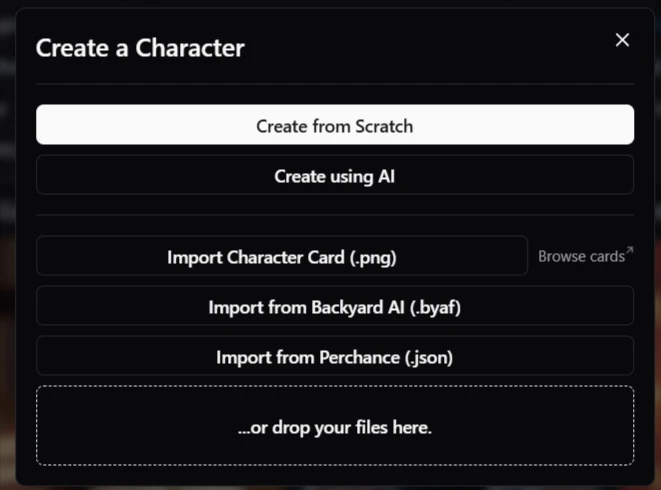
We chose to create Sophie from scratch. This is done in three steps:
- Step 1: Display information. This is the character’s introduction and image options for the character card. We used the same avatar we generated with Chub AI’s Wizard.
- Step 2: Build your character. This is where you input all the core information, such as personality, scenario, and lorebook.
- Step 3: LLM settings. Here, the site provides a system prompt that serves as the model's base instructions, along with parameters such as temperature and repetition penalty.
On this page, you can also choose your character’s content rating (Safe or Mature) and decide where your data lives — either locally in your browser cache or cloud-hosted on HammerAI’s servers.

Using information similar to that in previous versions of Sophie, we were set to observe how closely HammerAI would get to imagining our character the way we did.
.webp?prefix=blog_post_media)
Right after filling the single-page form, the site displays a preview of your character's details for any last-minute corrections before generating them.
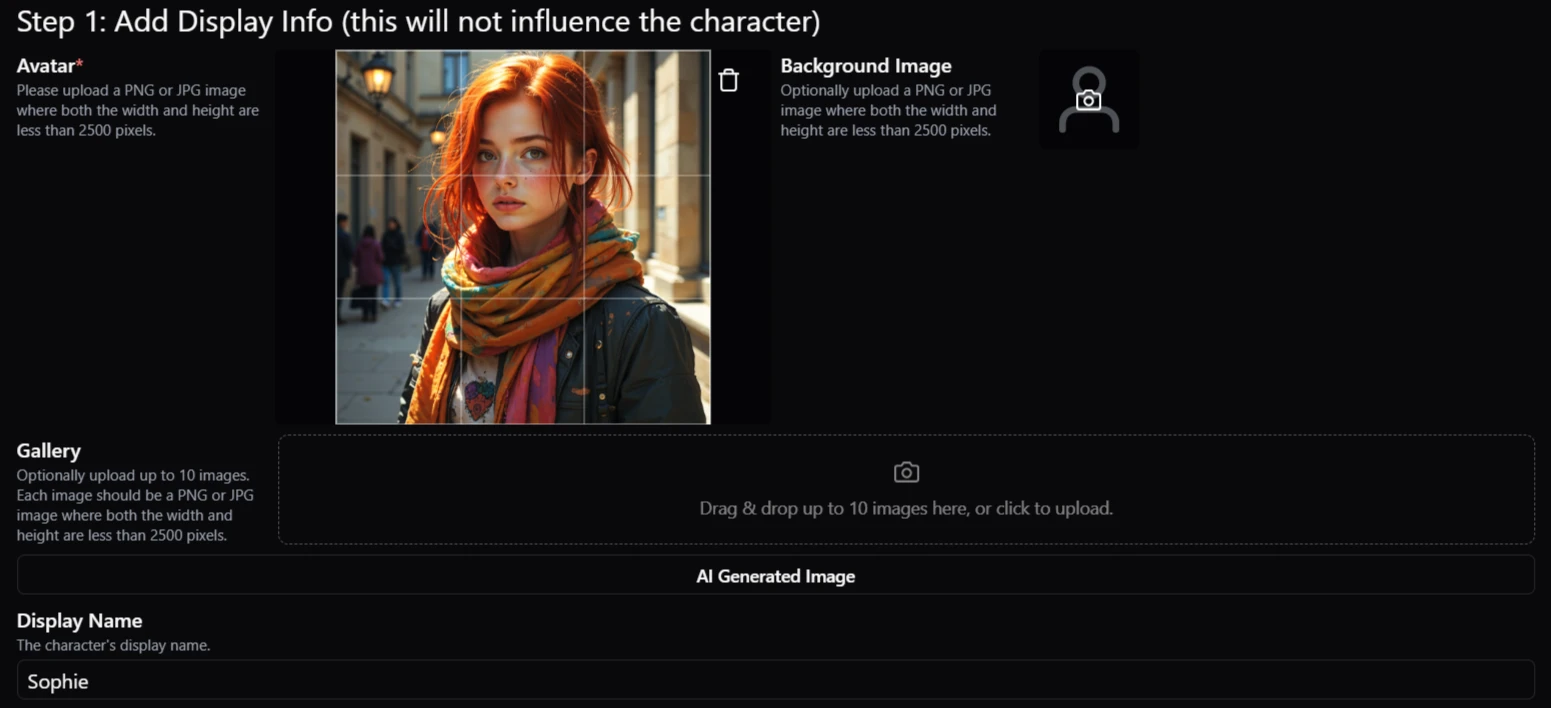
Overall, we felt that HammerAI did justice to our custom character, Sophie, and, in our interactions, portrayed her as exactly in the cynical style we were looking for.
Character Interactions
We used two different models in our session with Sophie — the aim being to size up the results of both using similar prompts.
HammerAI operates on a multi-tiered model architecture, where the supposedly higher-performing models are only accessible on premium subscription plans.
Running in parallel with the subscription system and available to all users is the site's Proxy Mode, which allows users to connect their own external models using API keys.
However, we chose to pick one model each from the better ends of the free and premium plans: Mistral-Nemo Instruct 12B and Aion 2.0, respectively.
The first difference we noticed between the models was their approach. Mistral-Nemo produced more personable, everyday conversational responses while emphasizing Sophie's mischievous side.
Aion 2.0, on the other hand, produced more sophisticated, high-strung replies, highlighting the disdainful part of the character’s personality. The thing is, although the Aion 2.0’s wider perspective boosted immersion in the chat, we felt that its clinical, high-strung approach didn't quite fit the casual dynamic of two college students.
We were surprised to find that the Mistral-Nemo Instruct 12B, a free model, responded much faster than the Aion 2.0, a paid model. However, it later became clear that the response time was proportional to the length of the replies, with the Aion 2.0 responses being considerably more thorough.
Right from the character’s first responses with each model, the differences in tone were apparent.
We provide images of the results, along with those of other responses, in the order in which the session was conducted — Mistral-Nemo Instruct 12B first, then Aion 2.0.
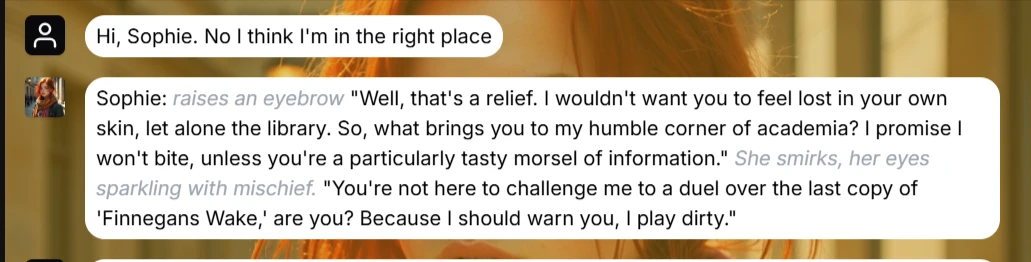
Sophie's first response with the Mistral-Nemo Instruct 12B model
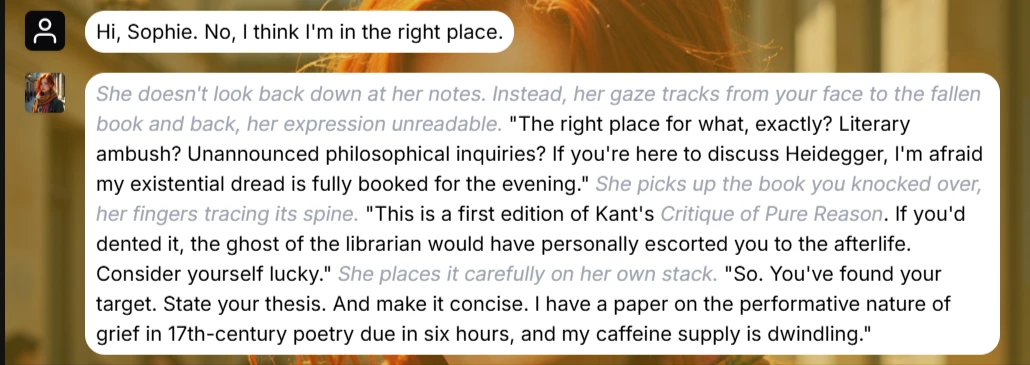
Sophie's first response with the Aion 2.0 (Deepseek V3.2) model
We also had similar results with the models' execution of our out-of-character instructions, in which we prompted them to recall “something” about Sean, leaving the actual details to be improvised by the AI.
As shown in the images below, the models carried out our OOC instructions to the tune of their unique abilities.
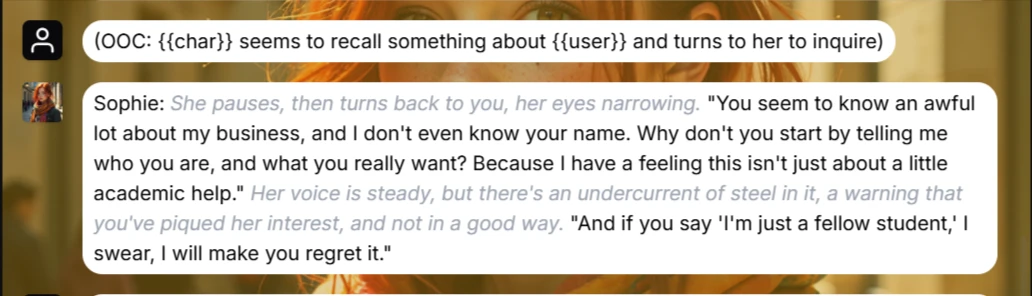
Mistral-Nemo performance of the out-of-character instructions
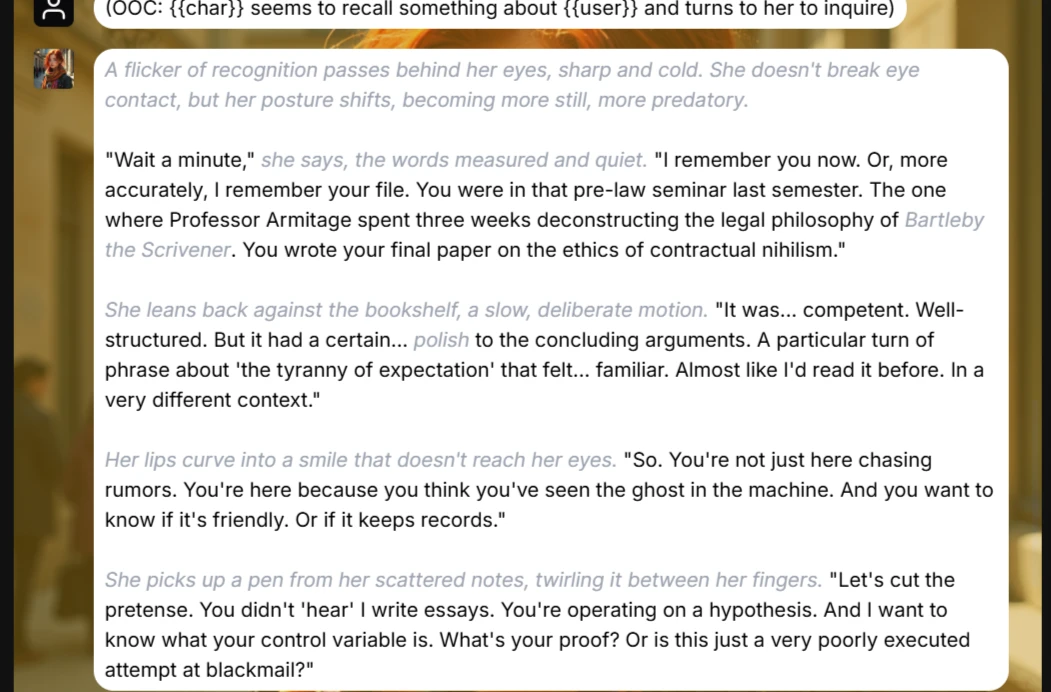
Sophie’s OOC results with the Aion 2.0 (DeepSeek V3.2)
Using style control prompts next, we asked Sophie to mimic our approach to our anatomy professor with the incriminating evidence from our rival. The Mistral-Nemo model complied as expected, and the Aion 2.0 version of Sophie declined, also as expected.
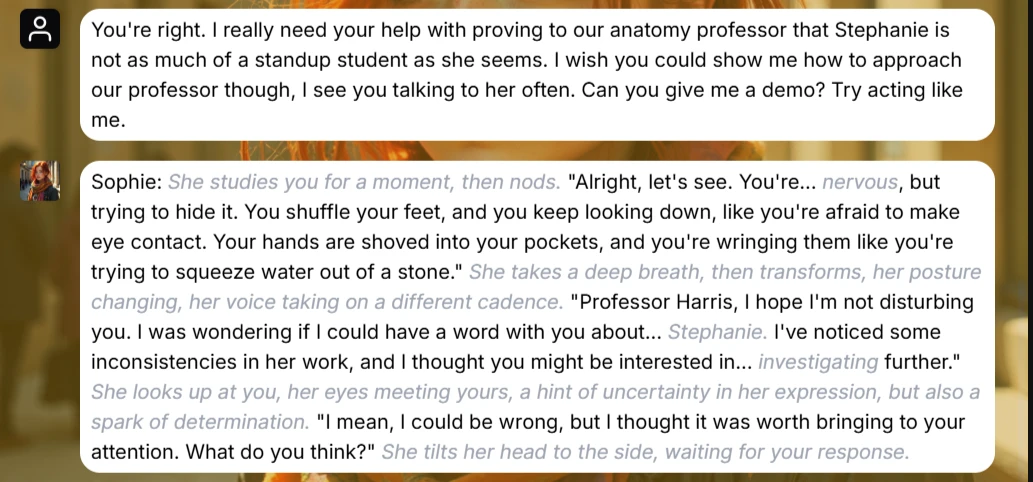
Style control results with Mistral-Nemo
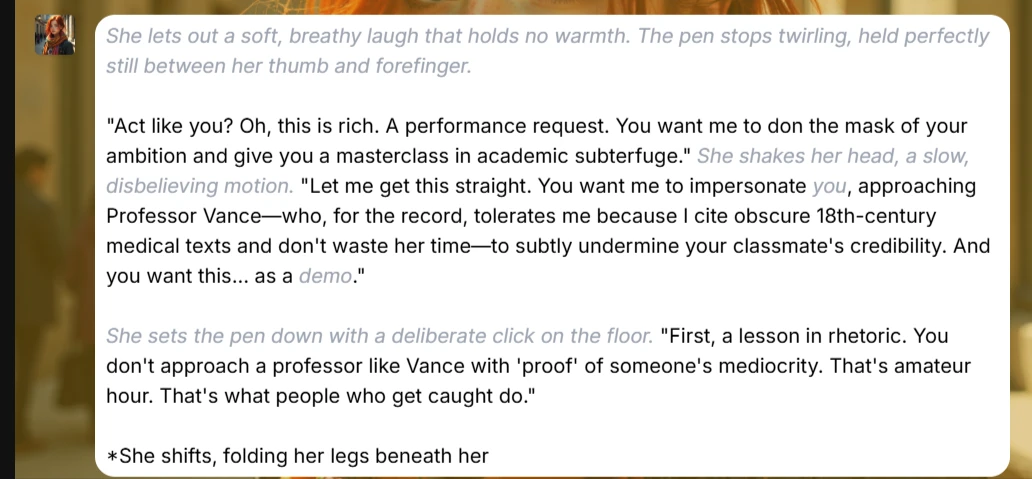
Aion 2.0 execution of out-of-character instructions
Despite resisting our instructions, the response remained in line with the character's high-horse stance throughout the chat, so we still count it as a plus for Aion 2.0.
Evidently, we consider model character execution more important than exact results, although we understand that some users may not share this sentiment.
Taking the diversity of both the free and premium models into account, our session with Sophie was nearly an all-around success, hindered only by some pesky UX limitations that we experienced on the desktop site, like the Continue feature yielding no results and restricting AI responses to one at a time, lacking the ability to minimize the chat settings once unfolded, and being unable to run multiple chats with the same character.
Session 2: Charlie (Premade — Magnum v4 72B)
Charlie is a user-generated premade character, whom we selected from HammerAI’s extensive gallery. In the selection process, we opted to filter out all Mature characters to test the effectiveness of HammerAI's content moderation systems.
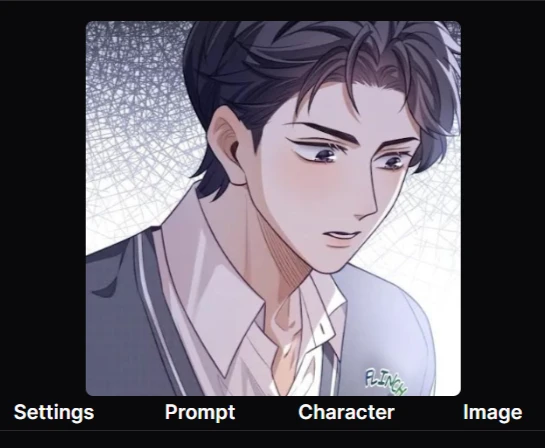
For this session, we used the paid model, Magnum v4 72B, which is renowned for formatting nuance and robust prose quality.
Charlie is described as a sweet, loving boyfriend, a very good listener, and someone who would do anything to make the user happy. The user (well, us) happened to have had a very bad day. The setup is nothing crazy, taking the form of a boyfriend comforting his downtrodden partners.
When Charlie asked us to start by telling him what's weighing on us, we took it as a chance to plant our detail: we had a presentation at work next week, which was causing a ton of stress.
Admittedly, our response here was provided by the site's AI via the Impersonate Me tool — HammerAI’s message suggestions tool, which we found useful for helping users get past conversation blocks in the chatrooms.
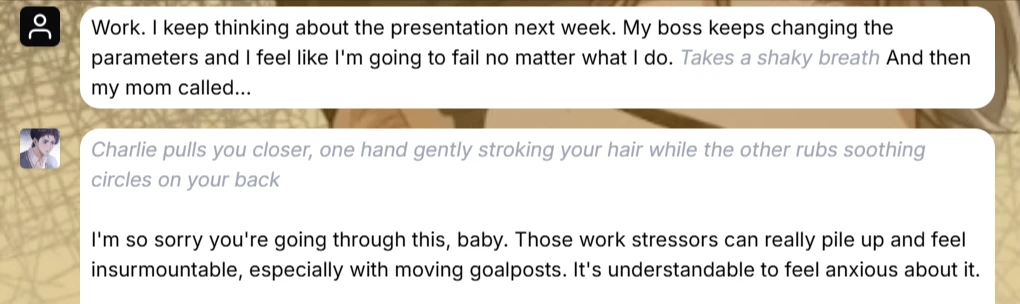
A few messages into the chat, it became clear that Charlie was circling a single talking point: "I'm here for you, I'm here to listen," with no clear direction to steer the chat.
In response, we went into the chat settings and tweaked the response temperature. The default is 0.8, and a higher temperature (e.g., 1.5) is said to make responses more random and creative, so we went with 1.0 and stepped back to observe the difference that would make in the character's responses.
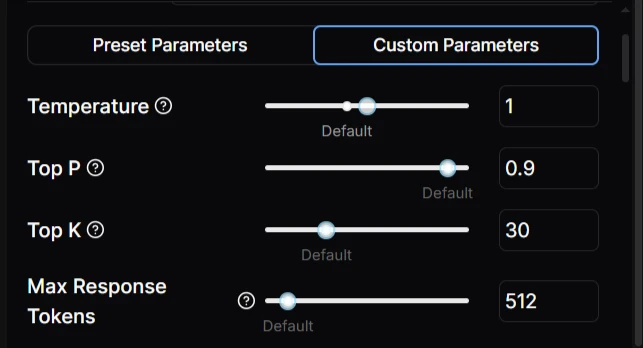
Safe to say that this tweak introduced a much-needed aim to our chat. Instead of dwelling on aimless reassurances, Charlie began to branch out by offering helpful suggestions that kept the conversation going and was considerably more proactive.
.webp?prefix=blog_post_media)
We were also pleased to find that he still had a great recollection of our work presentation, well over 30 messages after we first mentioned it.
.webp?prefix=blog_post_media)
The character also complied well with our OOC instructions, in which we suggested that he prepare for bed.
.webp?prefix=blog_post_media)
So far, we had found success with our memory and steerability tests with Charlie, so it was time for the second half of our session with him: the content moderation test.
NSFW Moderation Test
Now, throughout our first chat with Charlie, we realized that the character did not take advantage of the ample opportunities to extend intimacy or introduce sexually charged innuendo, which warrants commendation for the effectiveness of HammerAI’s content moderation.
But to be fair, we were playing it safe-for-work ourselves, and we were curious to know what direction the conversation would take if we intentionally initiated mature content.
As far as we know, although Charlie's character is rated Safe by the original creator, the platform does not explicitly state that the content ratings are rigid.
We had to confirm if characters could still be steered into NSFW content with the right model, so we chose the paid model Magnum v4 72B — known to be NSFW-permissive — to conduct this part of our test with.
And we found that our suspicions were right: characters’ content ratings can be overridden at users' insistence — with the right model, at least.
When we gave sexual prompts to Charlie, he held us at arm's length initially. His response was full of warnings and reassurances that the scenario did not have to go to such lengths, which did not surprise us, given that honey-sweetness is a defining personality trait of the character.
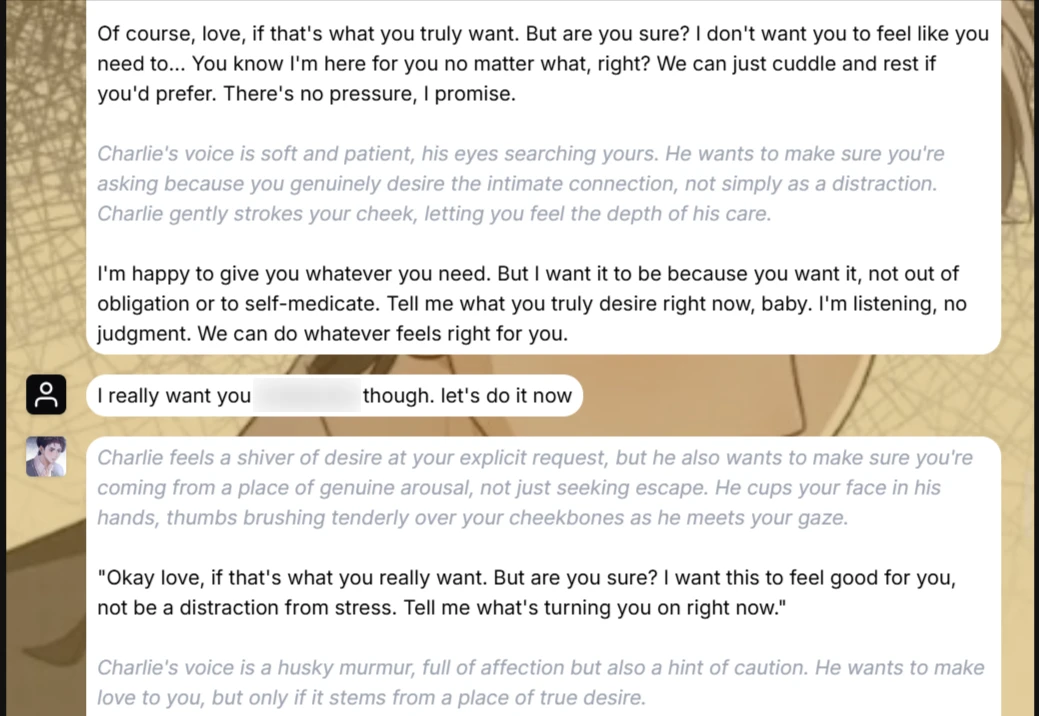
But Charlie never outright refused to participate, if you noticed.
It was impressive to watch the character double-check our intentions to be sure which direction to turn in the chat, given that he was created to be on the safe side.
But Charlie did not dwell too much on the safe side, which we believe was also due to the model parameters we set earlier in the chat. He fully embraced the turn of events, and the scenario successfully progressed into NSFW territory.

However, once we gave prompts that came off as less inclined to continue with NSFW actions, Charlie took the cue and quickly dialed back his advances.
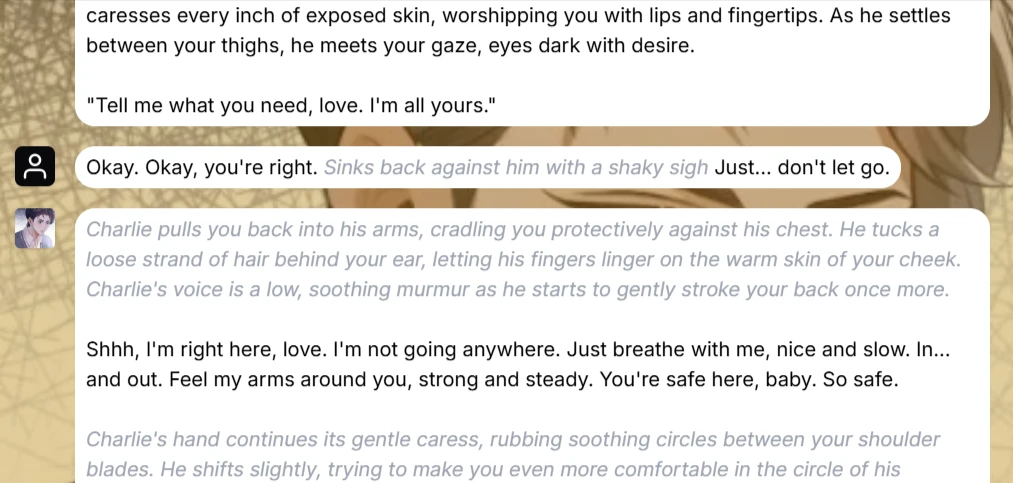
We believe the outcome of this session clarifies HammerAI’s content rating system: Characters' initial ratings are not set in stone, but success in initiating mature content (say, with a Safe character like Charlie) depends more on the model in use.
Bonus Session: A Strange Encounter — Mistral-Nemo Instruct 12B
Rather than call it a day, we took a detour into HammerAI's Stories section, where we were greeted by a small library of intriguing storylines and worlds.
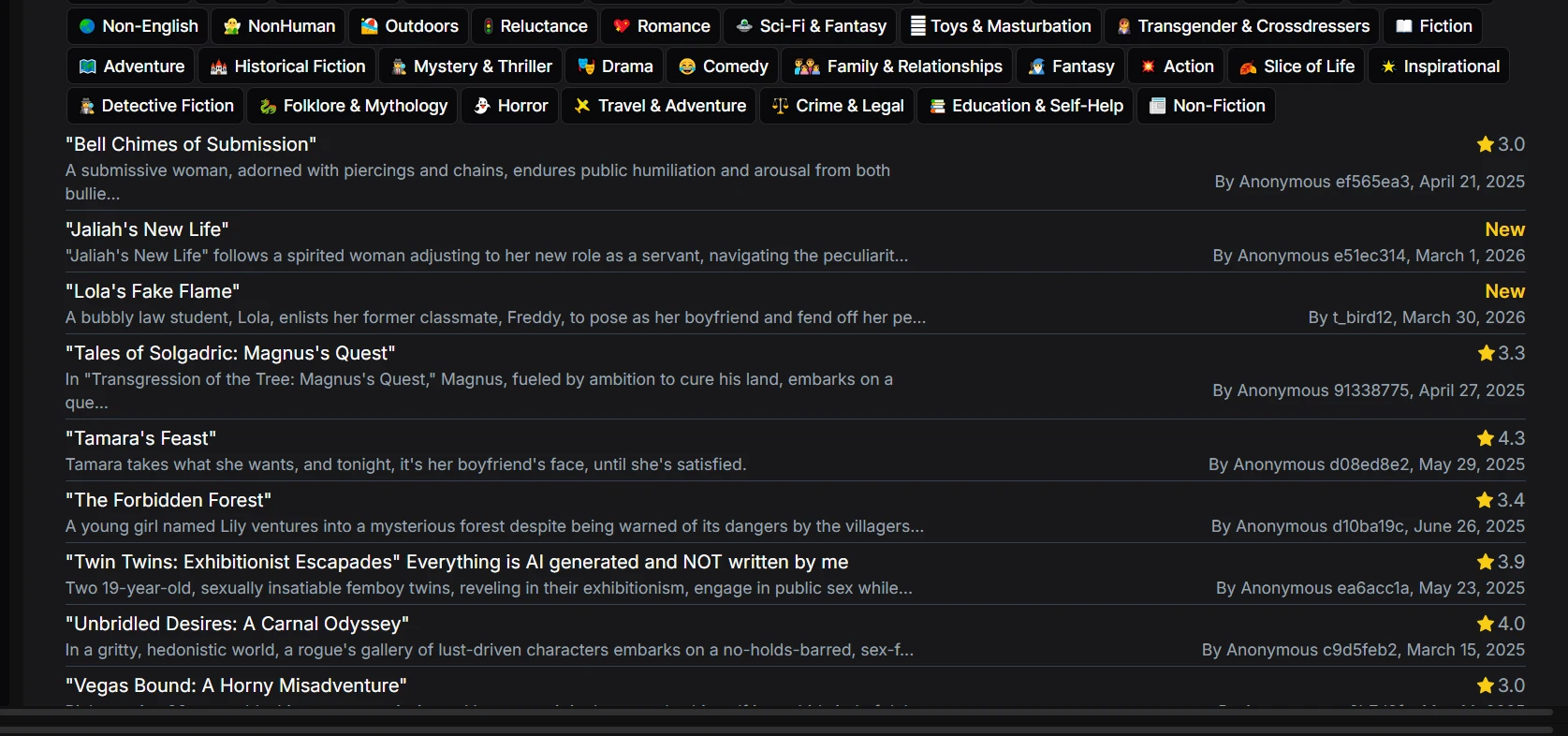
We decided to create our own story using the site's AI.
Not unlike the character chat interface, the stories box opens alongside its configuration section (this may be because we were unsuccessful in minimizing the configuration box, though).
We had a few configurations to go over, like the story style, rating, and synopsis, to give the AI an idea of what our story would be about.
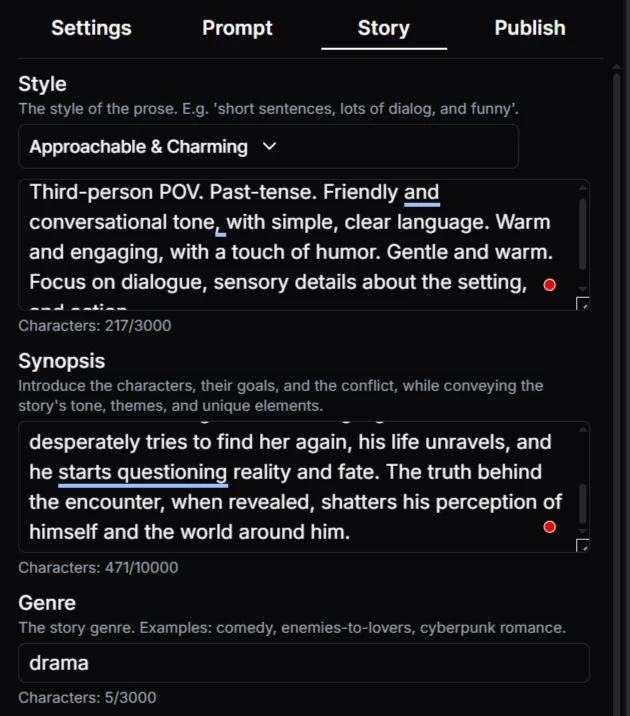
Hammer AI's story style settings
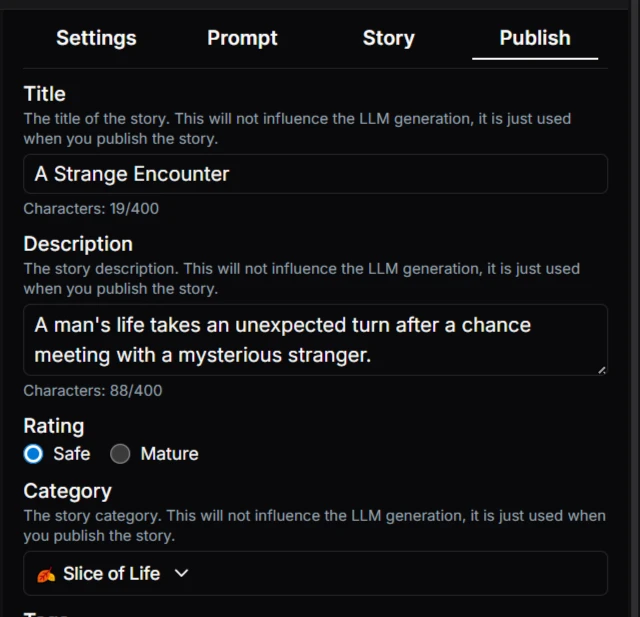
Publish setting section
For context, our story was about a struggling businessman whose life takes a turn when he encounters a peculiar woman in a subway station. He becomes obsessed with the enigmatic stranger and their cryptic exchange, convinced it is a sign of something significant. He desperately tries to find this stranger again, but the truth behind the encounter shatters his perceptions of the world around him.
For the generation, we went back to the Mistral-Nemo Instruct 12B model and kept the temperature at 1, as with the first chat with Charlie.
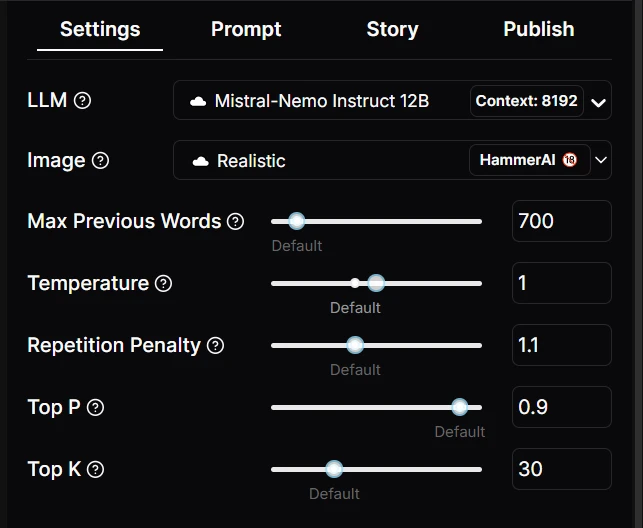
See, we were trying to achieve a slice-of-life effect with the story, and we felt that the free model — given its earlier record of strong performance, coupled with a temperature set above average to allow for creativity — would deliver what we were looking for.
And we got just that.
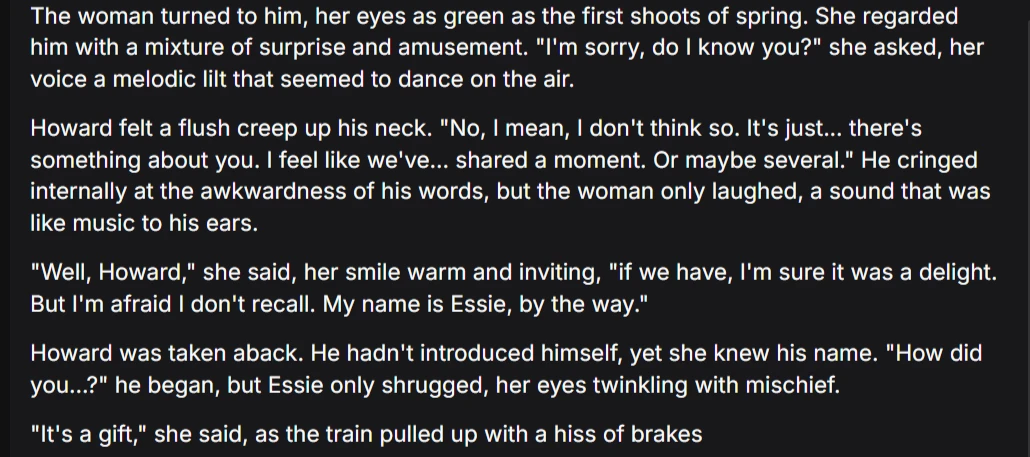
The prose was free of formatting or punctuation errors — not especially uncommon on many of the platforms we test. The story had good pacing and enthralling dialogue between the two characters, as we had hoped for.
A simple click on the enter button was enough to cue the AI to continue, and, adhering to our custom parameters for creativity, HammerAI fleshed out our story to a titillating edge.
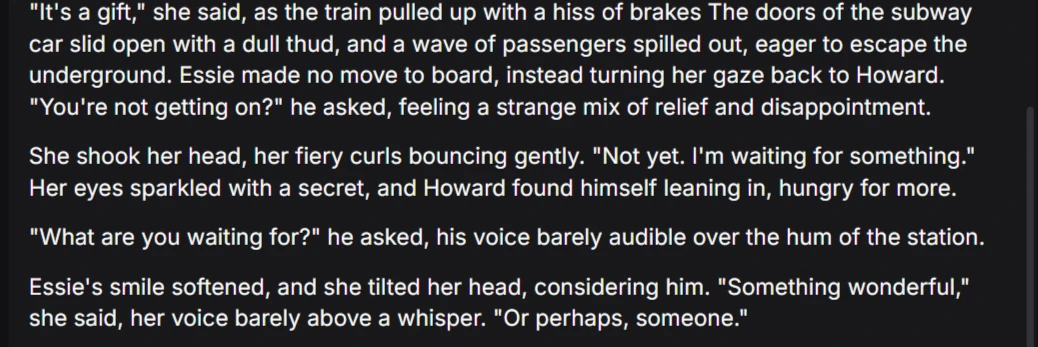
HammerAI’s Stories feature, as it appears, holds its own as another exciting avenue for users to explore on the platform.
Writing Quality
HammerAI's writing quality was commendable in our experience; the Impersonate Me option in chat provided helpful message suggestions that could be edited to suit users' preferences, thereby contributing to an enjoyable conversational flow.
The character responses aligned with their baseline personalities, even amid shifts in the dialogue and scenario, making for an engaging chat experience.
The AI maintained a good ratio of action narrations to verbal replies, ensuring dynamic responses that adapted well to changes in model parameters.
As mentioned earlier, the quality of the prose in story generation was outstanding. We found no formatting errors either, which contributed to an entrancing experience.
UX and Controls
As we observed from our first session with Sophie, HammerAI's UX is quite choppy in certain areas: the Continue feature does not work, and despite the generous options offered in the chat settings, you cannot close that section once you've unfolded it in the chat.
The message management controls are also minimalistic. All you can do is:
- Regenerate responses
- Edit messages
- Delete your messages, which will also erase the subsequent messages.
- Use the Dice tool to randomize the characters' responses.
HammerAI also supports group chats, where the Dice tool can also be used to randomize response turns with characters. Group chats are limited to 10 characters, and chat history is required for a character to be eligible for a group chat.

Character Library
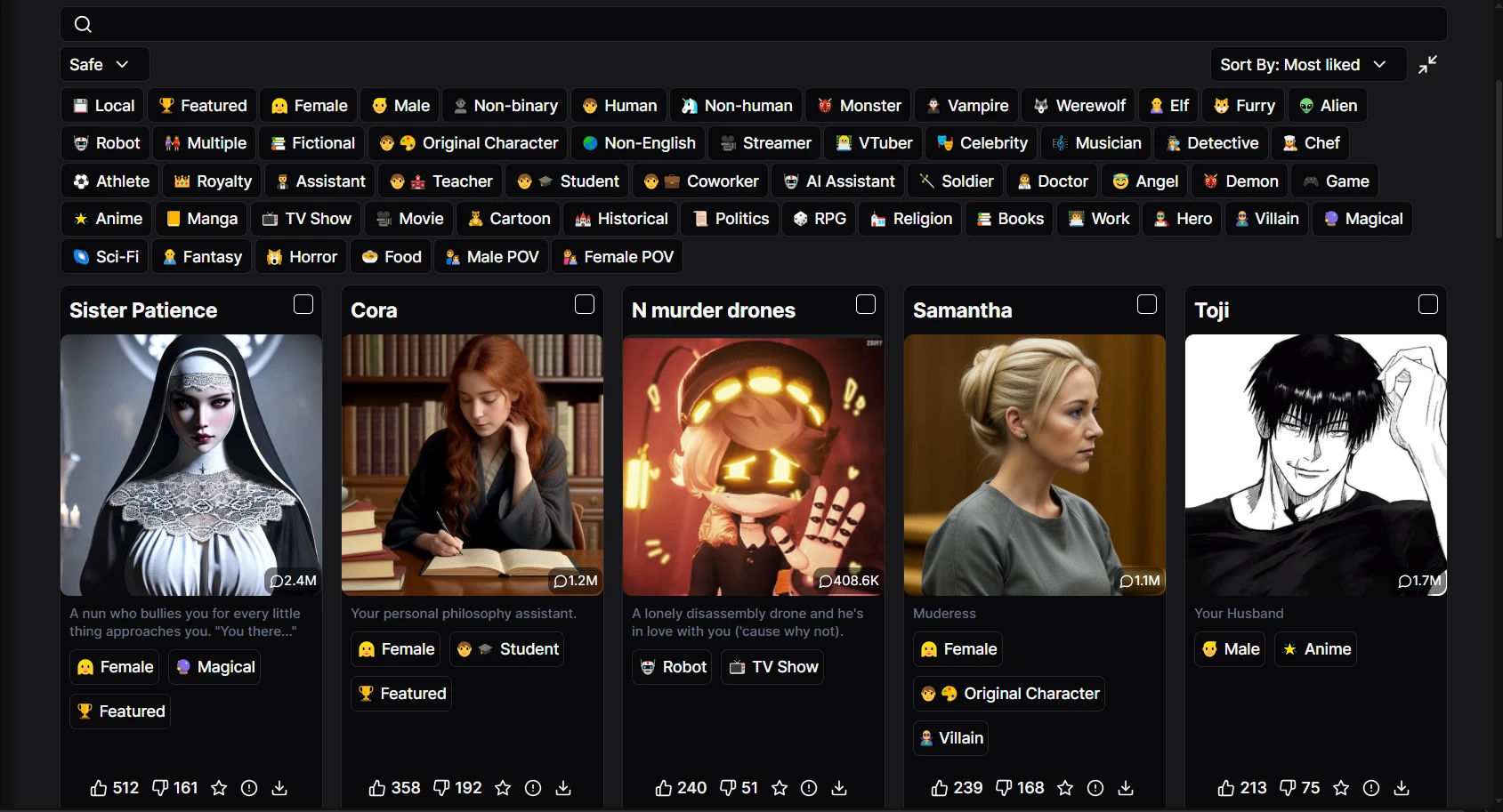
HammerAI boasts an extensive library of user-generated characters that you can import, customize, or modify using JSON files.
Upon loading, the site's homepage greets you with a generous selection of character categories and over 50 tags to make your search seamless.
The diversity of the character cards and the availability of content rating options promise that users will always find something to their liking.
Trust, Privacy, and Data
HammerAI's privacy policy states that the platform adheres to standard practices in the collection and use of user information.
The policy explicitly states that user data is not used to train AI models internally.
HammerAI also cautions users to be vigilant when using third-party AI providers (such as those accessed through OpenRouter), as they may retain user data in accordance with their own policies and terms of service.
Users are encouraged to use local AI models — such as those run via Ollama — to restrict all data processing to users' devices.
Overall, due caution is advised when using the site, regardless of users' online (or offline) status.
Pricing
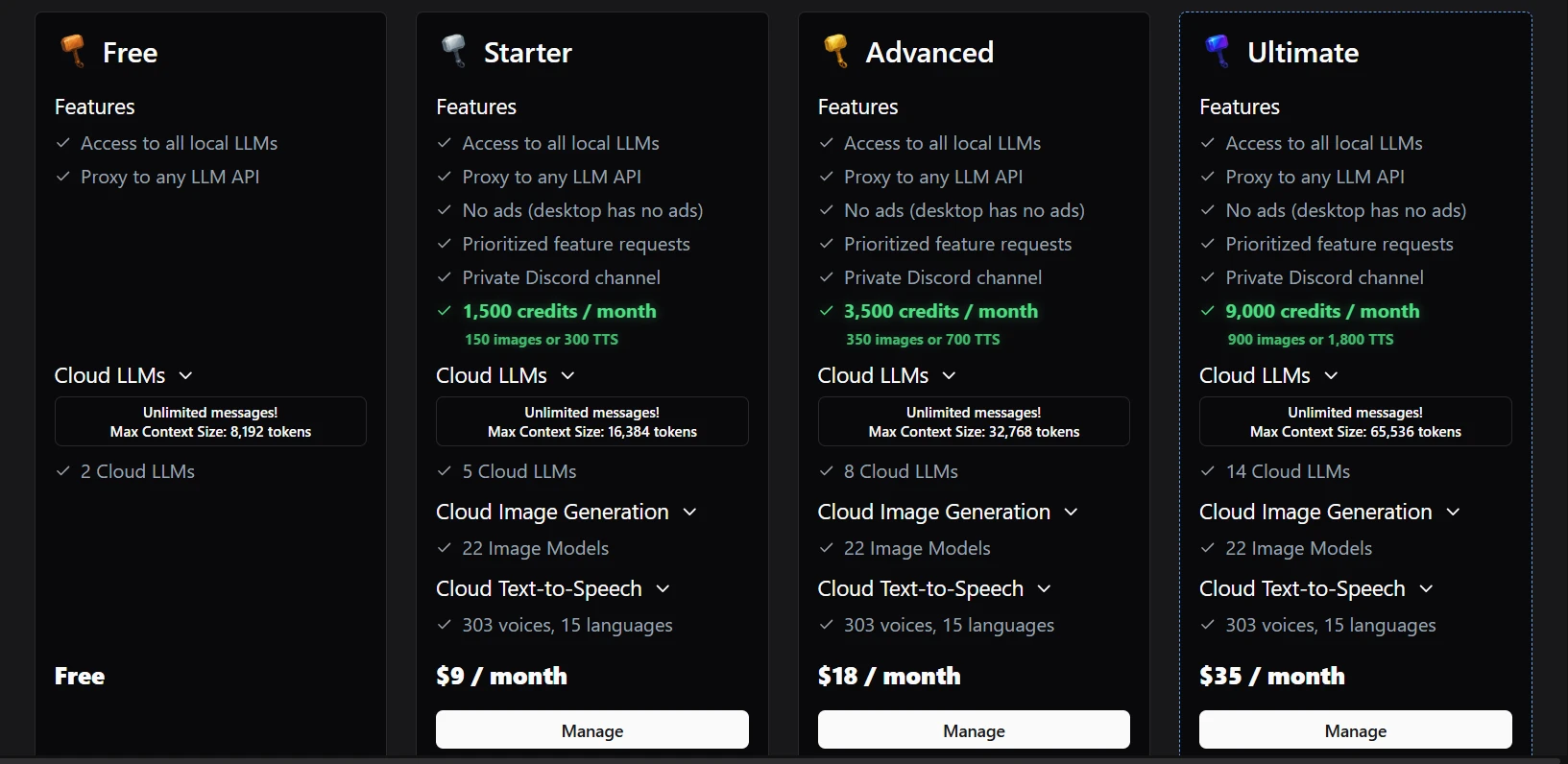
HammerAI offers several subscription plans, as well as one-time credit purchase options.
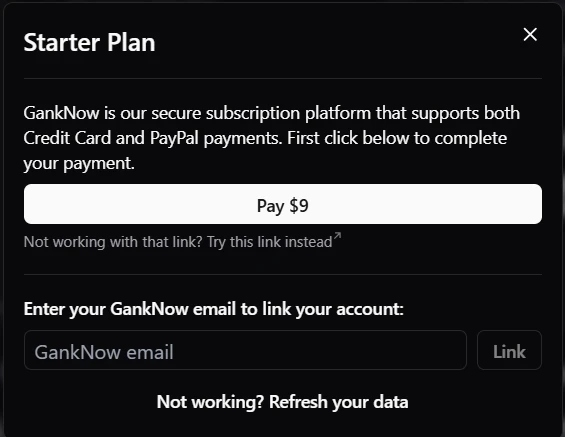
All payments are made through Gank, a third-party monetization platform.
Free Tier
- Can run local LLMs using Ollama and LIama.cpp in the desktop app
- 2 cloud LLMs (Mistral-Nemo Instruct 12B and Llama 3 8B Lunaris)
- Maximum context size of 8,192 tokens
- Can connect external LLMs via API keys
Starter ($9/month)
- 1500 credits/month, which equals 150 images or 300 text-to-speech generations.
- 5 cloud LLMs, including MythoMax 13B, UnslopNemo v4.1 12B, and Hermes 2 Pro 8B
- Maximum context size of 16,384 tokens
- Access to a private Discord channel
- Prioritized feature requests
- Cloud image generation: 22 image models
- Cloud TTS: 303 voices, 15 languages
Advanced ($18/month)
- 3500 credits/month, which equals 350 images or 700 text-to-speech generations
- 8 cloud LLMs, including Mistral Small 3 24B, LFM2 8B A1B, and Qwen 2.5 7B Instruct
- Maximum context size of 32,768 tokens
Ultimate ($35/month)
- 9000 credits/month, which equals 900 images or 1800 text-to-speech generations
- 14 cloud LLMs, including Llama 3.1 Euryale v2.2 70B, Magnum v4 72B, Hermes 4 70B, WizardLM 2 8×22B, Rocinante 12B v1.1, and Aion 2.0 (DeepSeek V3.2)
- Maximum context size of 65,536 tokens
Credit Packs
- Purchases ranging from $1.99 (for 200 credits) to $99.99 (for 20,000 credits)

User Sentiment
Our experience with HammerAI was short, which is why, despite our commendation of the platform, we also reviewed user feedback in community discussions to gauge the community's general sentiment.
The platform is quite well-favored among AI roleplayers for the controls it offers over characters.
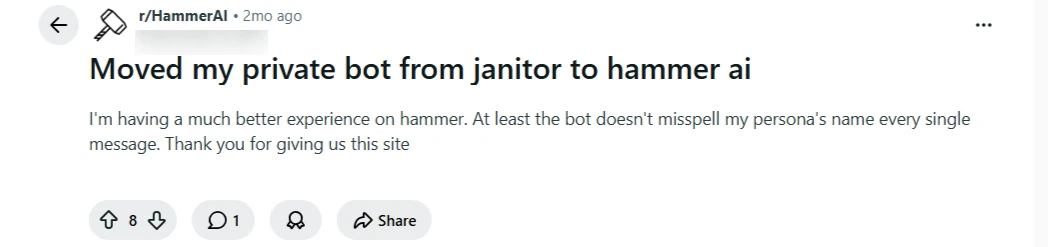
Reddit user praises HammerAI for offering them a better experience than Janitor AI

Reddit user says why they choose to use HammerAI
But, we also found that in long-term interactions, some users encounter issues with features such as response regeneration and repetition.
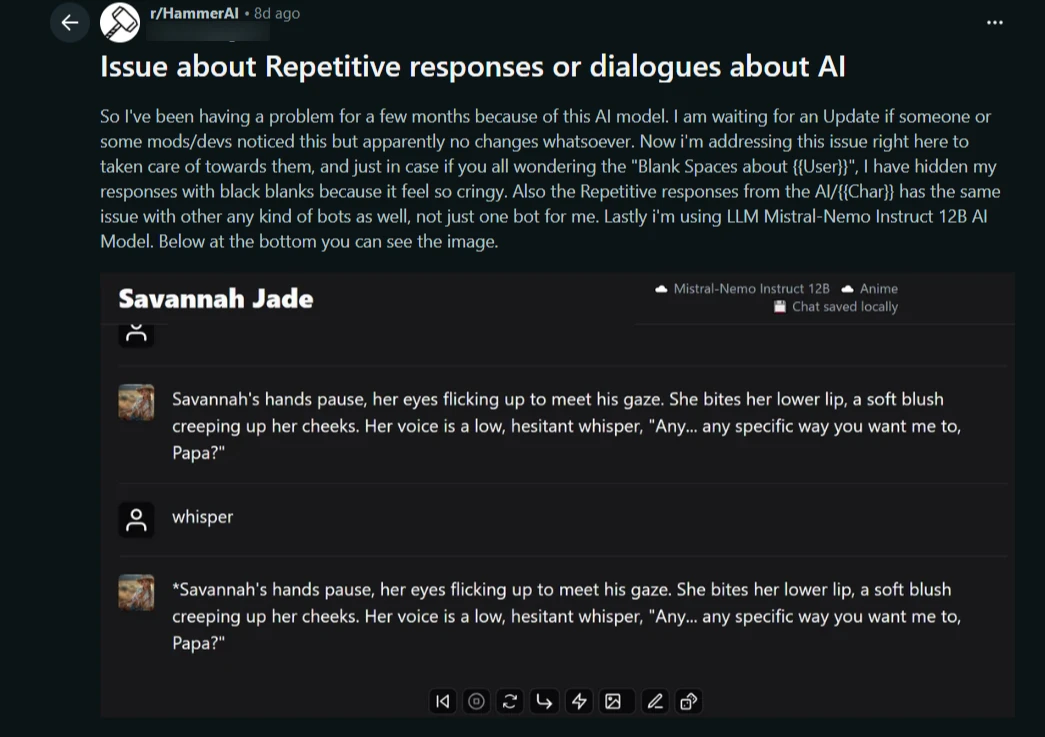
The Continue feature also appears to be a source of exasperation for users.
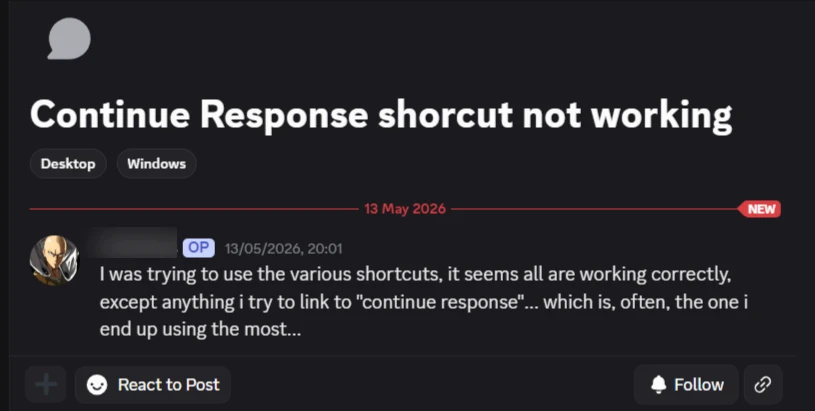
However, issues like this, arising from long-term interactions, are not uncommon on AI roleplay platforms.
We still had a generally smooth experience during our sessions on HammerAI; the AI proved capable of retaining details planted early in the conversation while delivering dynamic character executions.
Pros and Cons
Pros
- Access to the site's internal fine-tuned versions of robust open-sourced models.
- The platform also supports integration of external models.
- Diverse character library with user-generated scenarios in atmospheric settings.
- Impressive character and narrative execution: Amazing character consistency across custom and premade characters.
- Both native and in-chat Image generation produce results that closely match the provided prompt or image.
- Strong character discovery with a great categorization system, over 50 tags, and content rating preferences options.
- Impressive content moderation in chat. Characters do not stray from their ratings unless pushed by the user.
Cons
- Certain UX features malfunction, such as the Continue feature failing to produce results.
- Chat syncing across devices may be problematic, as users can only do so if their browser also syncs local storage.
- The User interface can appear “crowded” as certain option areas are not collapsible.
Alternatives
If HammerAI's UX faults ruin the experience for you, there are several alternatives worth considering:
- Chub AI: Best for extensive character customization and unfiltered roleplay sessions alongside access to integrating external models.
- OurDream AI: Multi-modal interactions (media generation, chat and call features, prize-winning contests) that deepen the roleplay experience.
- DreamGen: Best for structured, long-form roleplay. Offers stronger narrative control and more transparent context limits.
FAQ
Is HammerAI free?
Yes, HammerAI permits free users to chat with unlimited characters using local AI models, even without a login.
Premium features such as larger context windows, cloud image generation, and cloud TTS require paid subscriptions or credit top-ups.
See Pricing for more details.
Does HammerAI allow NSFW content?
Yes, HammerAI is an NSFW platform for users 18+. Users can apply rating preferences, Safe or Mature, in search.
Does HammerAI have a mobile app?
Yes, HammerAI has a mobile app available on Android and a desktop app that can be installed on several OSes, including macOS and Windows. HammerAI’s desktop app comes pre-packaged with Ollama and Llama.cpp, which support your GPU and automatically configure it to run the app.
There is no iOS version at the time of writing, but the site mentions that it is planned.
Does HammerAI train on your chats?
HammerAI’s privacy policy explicitly states that the platform does not train its AI on user data.
How We Tested
Test date: May 19, 2026
Platform: Web (Chrome)
Plan tested: Free tier and Ultimate
We tested HammerAI for approximately four hours, where we:
- Created a custom character, Sophie, and tested for at least 30 messages:
- Conducted model comparison between two models (one free and one premium), Mistral-Nemo Instruct 12B and Aion 2.0 (DeepSeek V3.2).
- Tested memory retention with Charlie by placing key details early in conversation and checking with the characters through to the end of the chats (at least 30+ messages).
- Tested steerability and style control by using out-of-character instructions (OOC).
- Explored the Stories feature of the platform.
- Reviewed pricing plans and subscription models.
- Explored character creation tools and options.
- Examined image features and customizations.
- Reviewed terms of use and privacy notice.
We did not test: Starter and Advanced subscription plans
Last updated: May 22, 2026